
Sales App
Turn the reasons you lost into strength for the next deal.
Sales is the app for recording leads and deals, and for carrying what you hear in the field back into how your company explains itself. It keeps everything from the first conversation to the order in one flow, a machine counts which deals are at risk, and the AI stops at drafts. It works alongside the customer management tool you use today.
What Sales does
Capture, count, return. That is all it does.

Capture
Leads, deals and quotes are kept in one flow, from the first conversation to the order. From conversations it pulls out candidate problems and objections, which you check and save.
Count
Nothing has moved for a while; a quote is about to expire. A machine counts fixed conditions and tells you which deals are at risk.
Return
The reasons you were turned down are offered to your company knowledge as a lesson. Only when you approve do they become material for fixing how you explain things.
The problems it solves
Does this sound familiar?
Usually, the only place a deal is remembered is inside one salesperson’s head.


Features
What you can do with the Sales App.
Six features. In each, the AI stops at a draft. You make the call.
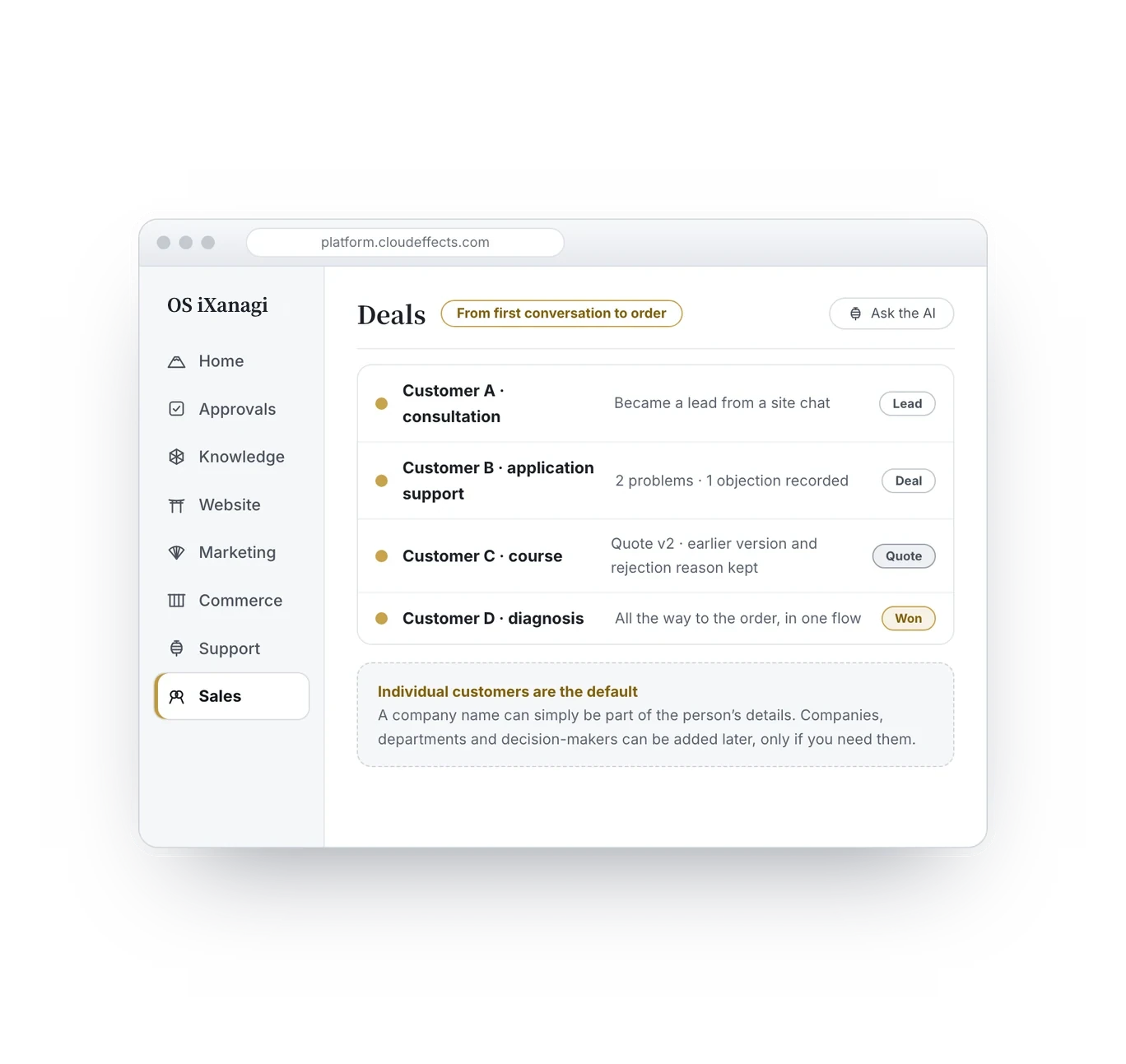
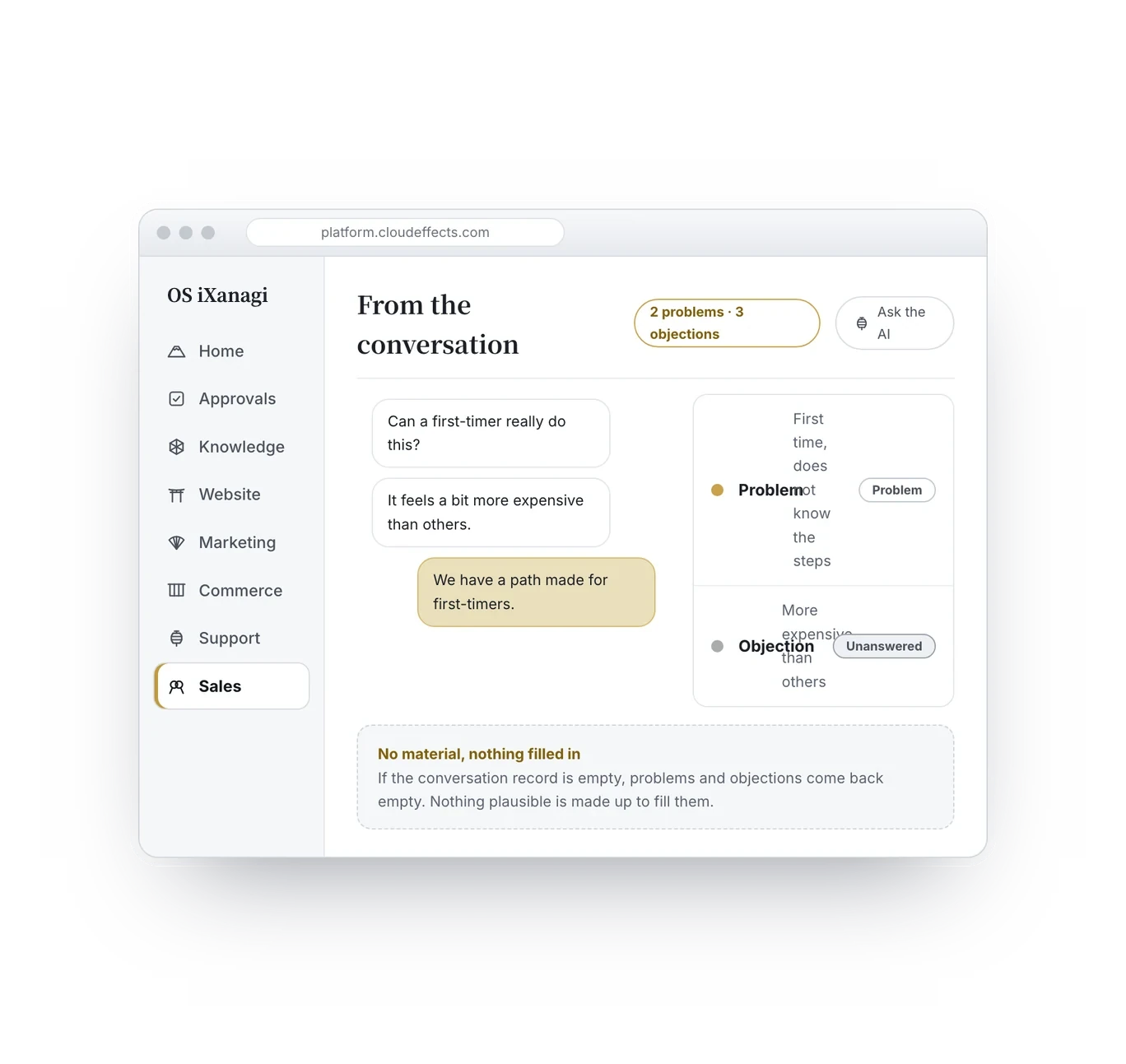
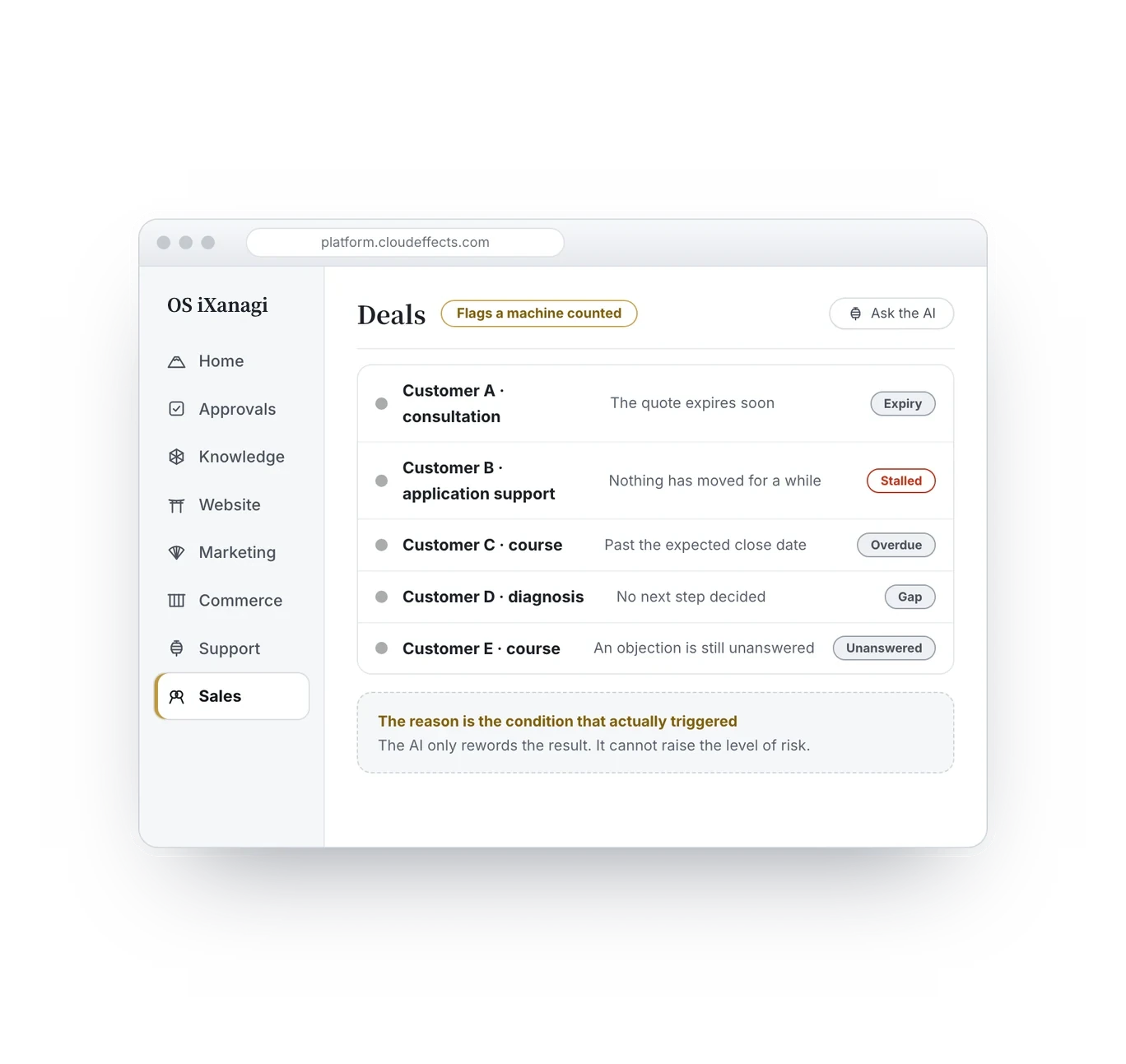
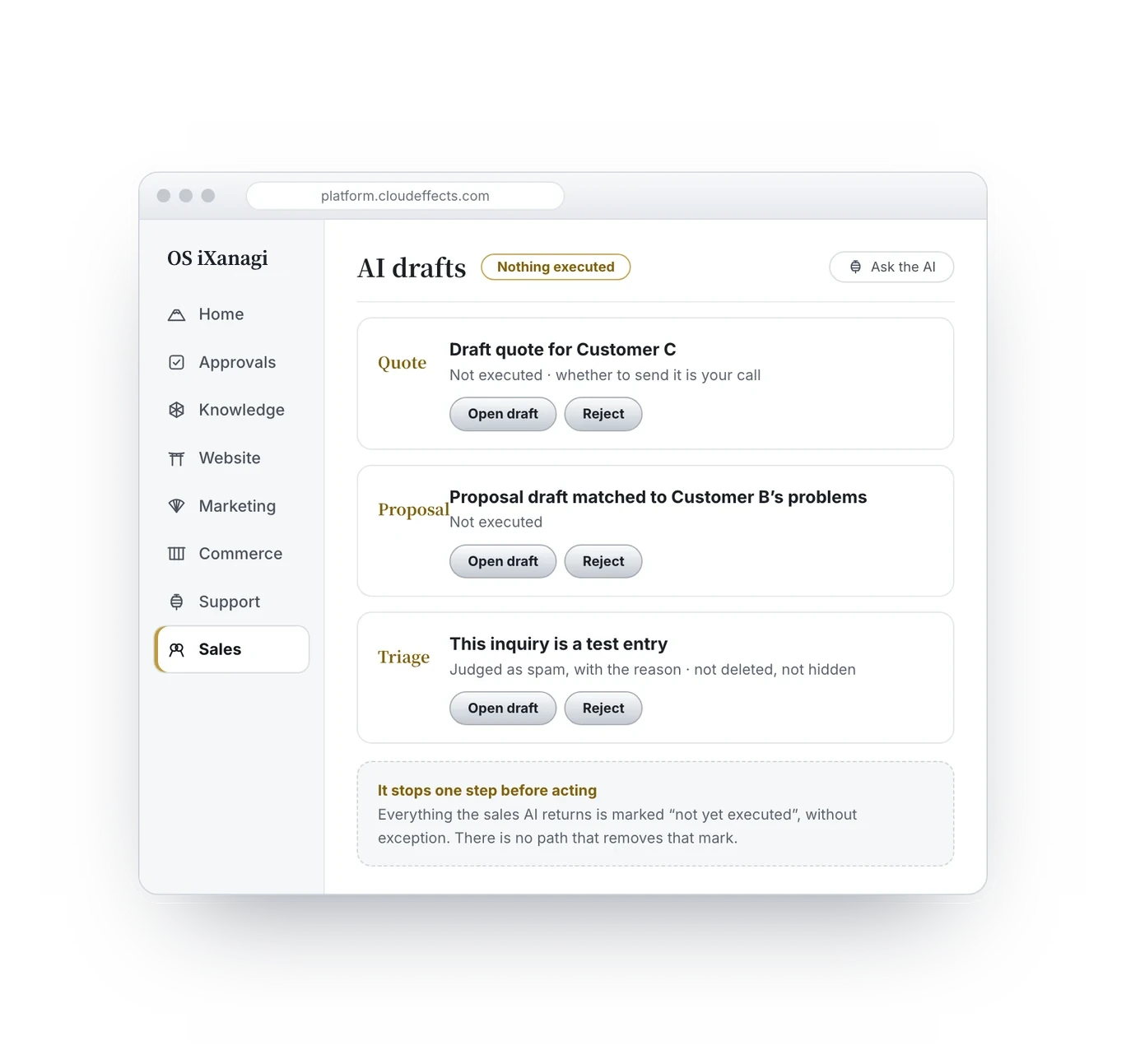
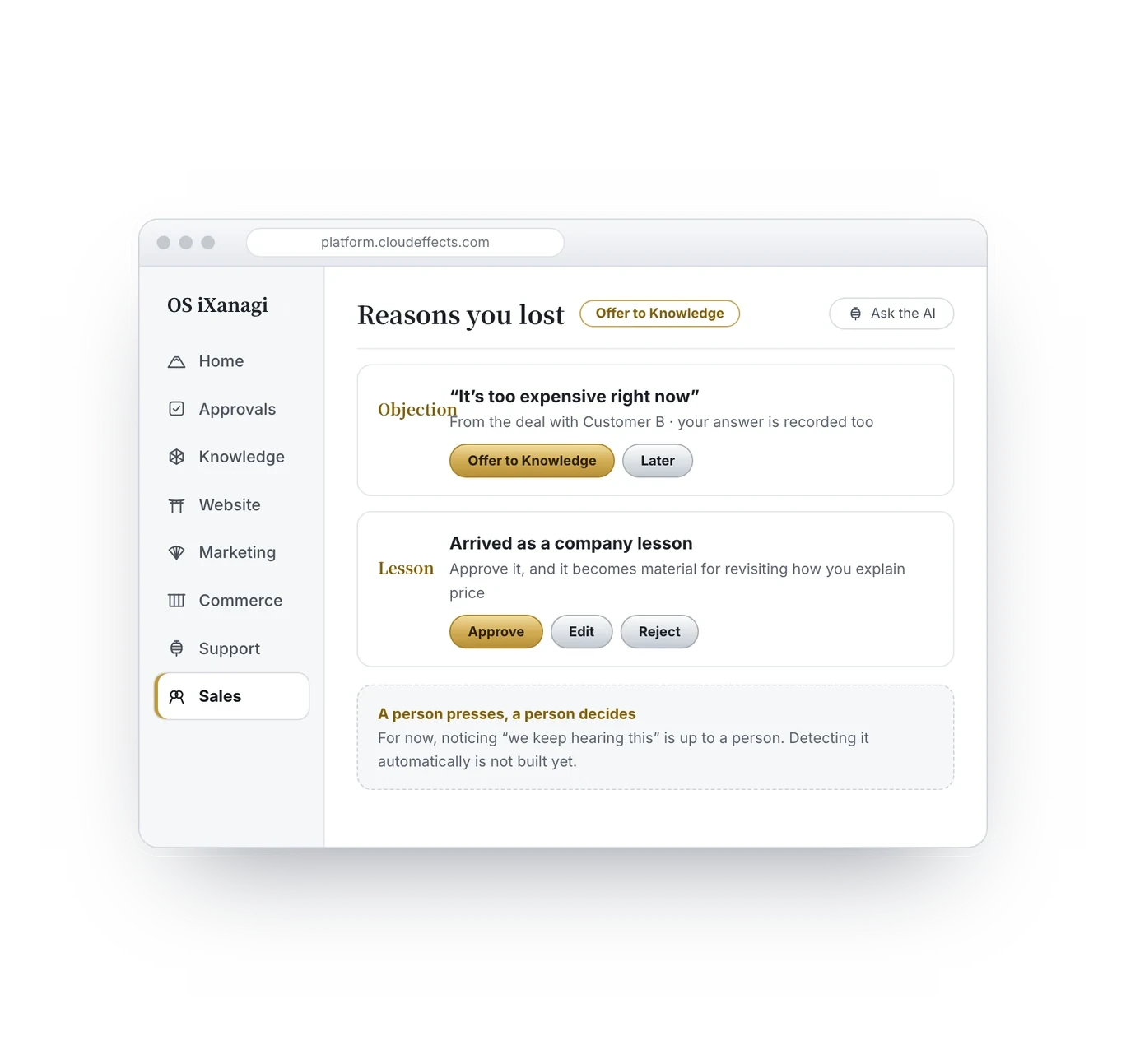
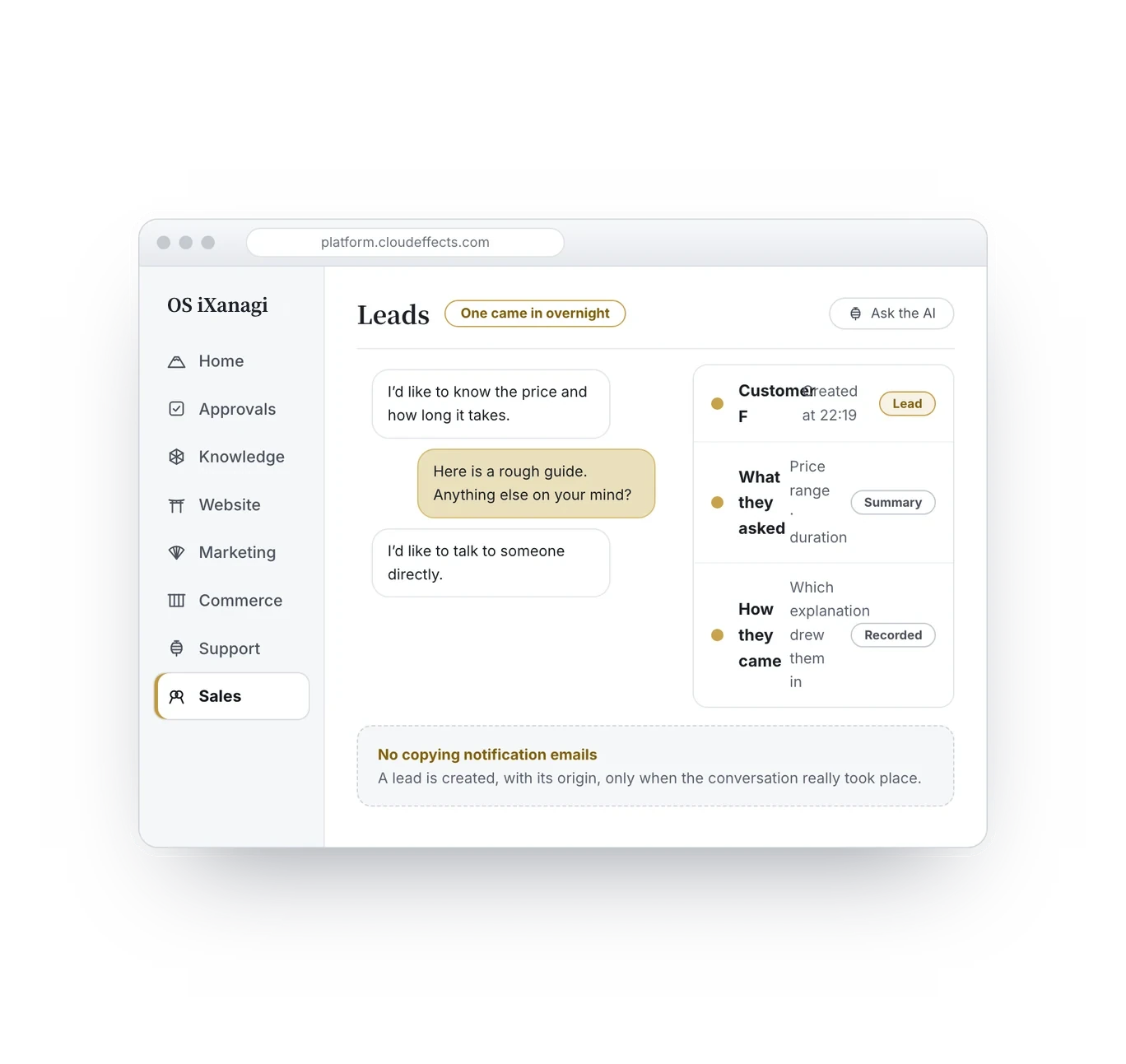
Leads, deals and quotes are kept in one flow. Quotes are kept as versions, so earlier ones and the reasons they were rejected are not lost. Individual customers are the default; company management can be added later if you need it.
Screens are drawn for explanation. Details differ from the actual product.
After the deal
All the way to the step after “Let’s go ahead”.
Once a deal is agreed, work stalls when you send quotes and documents, or ask for payment. Here you send from the same place, and who got what, and when, stays with the deal.


Quotes and documents go out by email, and replies to leads who came in on LINE go out on LINE — all from the same place. You are the one who sends, and who got what, and when, stays on the deal.
The order we recommend
Connect sales last.
If you add sales management before your company’s explanations are in one place, the records have nowhere to go back to. Logging “too expensive” twenty times is just data entry if there is no place where someone reads it and rewrites how you explain price. That is why we recommend this order.
Grow your knowledge
Bring your company’s explanations together in Knowledge. It is where the reasons you lost will come back to.
Grow your site
Let those explanations reach customers through your site. That is where conversations begin.
Connect sales
Once conversations are happening, activate Sales. Only then does it become a way back, not just more fields to fill.
The path that carries lost reasons back into knowledge has been checked end to end with tests. How much it pays off depends on how many objections get recorded. That is why we recommend growing your knowledge and site first.
What changes
The reasons you lost change how you explain.
- The reasons you lost stay
Kept in the deal record, not in one person’s head. They don’t leave when people do.
- You notice before you lose
A machine flags stalled deals and quotes about to expire. Fewer deals remembered only after they are lost.
- Night inquiries are leads by morning
Site conversations are registered with the most recent questions attached. No notification emails to copy over.
- At the next deal, the answer is ready before you meet
When a recurring objection is approved into knowledge, it becomes material for rewriting your pricing page.
- 22:14A visitor is asking the AI on your site. It is after hours, and you are asleep.
- 22:19“I’d like to talk to someone directly,” they write.
- 22:19A lead is created automatically, with their most recent questions.
- MorningYou open the list. It also shows which channel they came from.
- MorningDone. Not a single notification email to copy over.
One night, and the next morning
How it connects
Connect it, and the steps around each deal fill in.
Sales reads your company knowledge to move deals forward, and writes the reasons you lost back into it. These add-ons and connectors work well alongside it.

Using it with peace of mind
Four promises that protect your customer relationships.
The AI does not contact your customers without your say-so
The AI drafts and researches. Sending anything to a customer, or anything involving money, happens only with your approval — or within a scope, budget and deadline you set when delegating to the AI. The AI never decides a discount.
No material, no made-up content
If the conversation record is empty, problems and objections stay empty. So you never unknowingly send a proposal listing “customer requirements” nobody actually said.
The at-risk list is computed from fixed conditions
Deals on the at-risk list are picked by computing fixed conditions, and the reason shown is the exact condition that applied. The short comment the AI adds to each deal is shown separately, as a reference.
Your company knowledge changes only when you approve
Lost reasons are only offered to knowledge; you decide whether to adopt them. One remark in one deal will never rewrite your company’s explanations on its own.
FAQ
What people ask.
No. Sales works alongside the customer management tool you use today. What Sales takes on is the path that carries lost reasons back into how your company explains itself.
Sales is included in the OS iXanagi plan ($299/month per brand, provisional while we tune pricing).
No. The sales-side AI returns drafts and material for your decision, and stops before anything is carried out. Quotes and documents can go out by email, and replies to leads who came in on LINE can go out on LINE — but you are the one who sends them.
That is the default. A company name can simply be kept as part of the person’s details. Managing companies, departments and decision-makers can be added later as a brand add-on, only if you need it.
We don’t claim it can. That is exactly why the at-risk list is picked by computing fixed conditions, not by the AI. The reason is the exact condition that applied, so you can check it. The AI’s short comment on each deal is a separate reference.
No. Noticing that an objection keeps coming up is a person’s job, and it is offered to knowledge only when you press the button.
Knowledge is in every plan. Since Knowledge is where lost reasons go back to, we recommend growing your knowledge and site first, then connecting Sales.
Right away. It starts to pay off, though, once your knowledge and site are up and conversations with customers begin.
Bring what you hear in the field back into how you explain.
Connecting sales can wait until your knowledge and site have grown. Start by putting your business into words, together with the AI.