
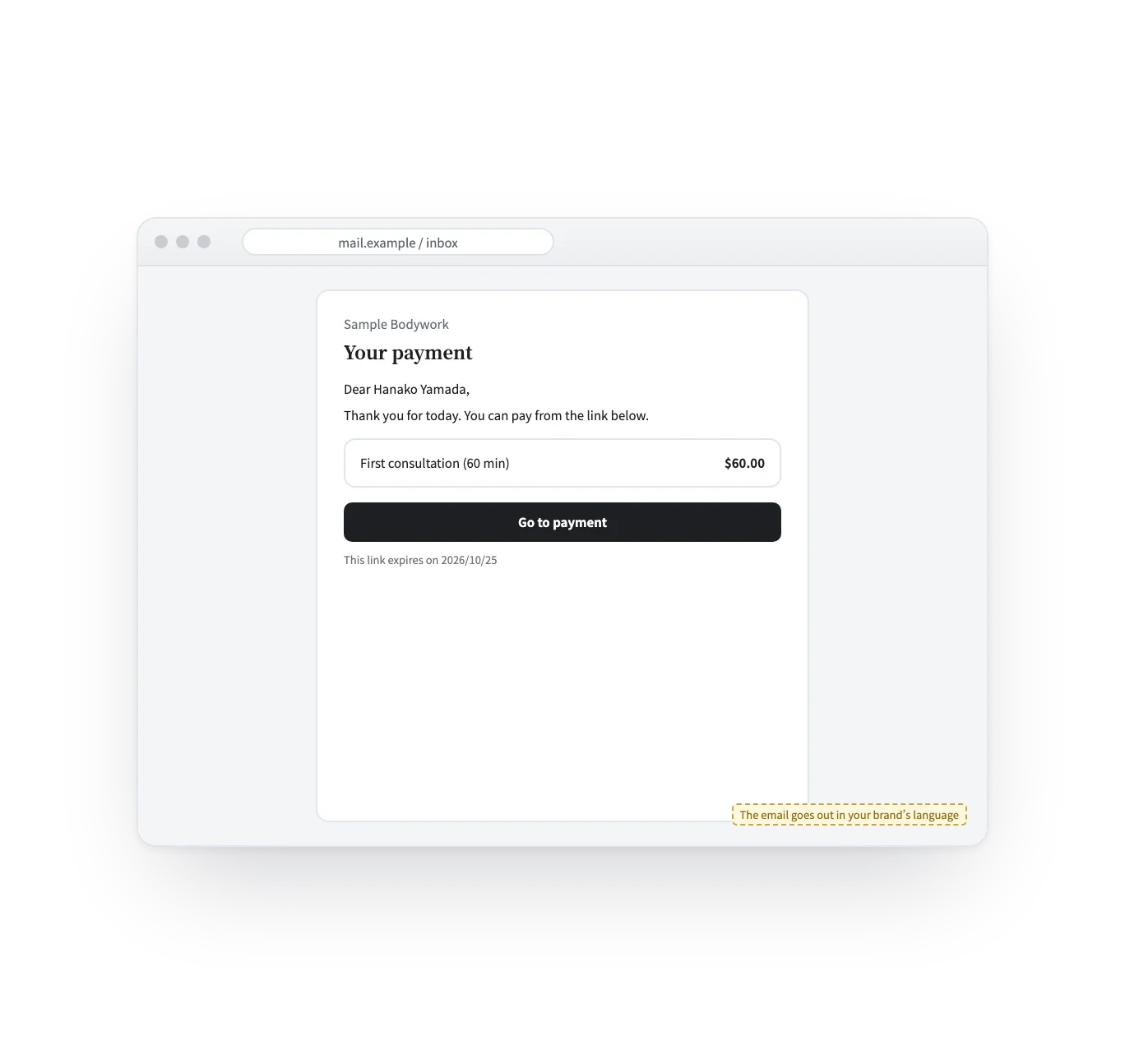


Sending the payment request
Until now
Make an invoice in another tool, attach it, and write the amount into the email by hand.
From now on
Choose the price and press send. The amount comes from the product, never typed.
Add-on — Payment links
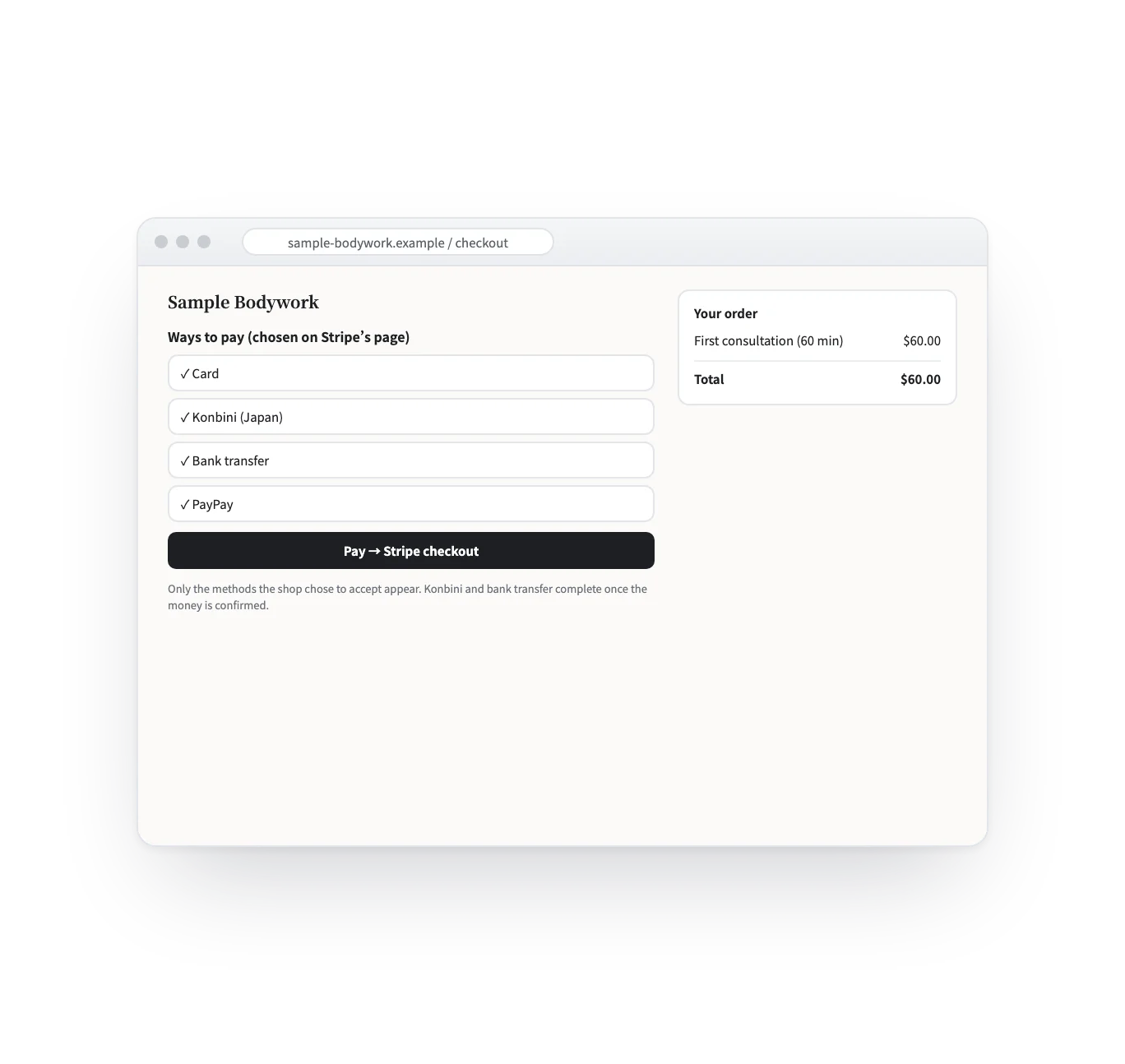
Once a deal is agreed, payment usually happens in a different tool: make an invoice, wait for the transfer, copy it into the books. Here you pick a product’s price and send one link. Your customer pays from your own site, on Stripe’s checkout.
Maturing · Add-on
How it works
From issuing the link to the money arriving, in four scenes. The screens are samples; the shops, people and prices are examples.
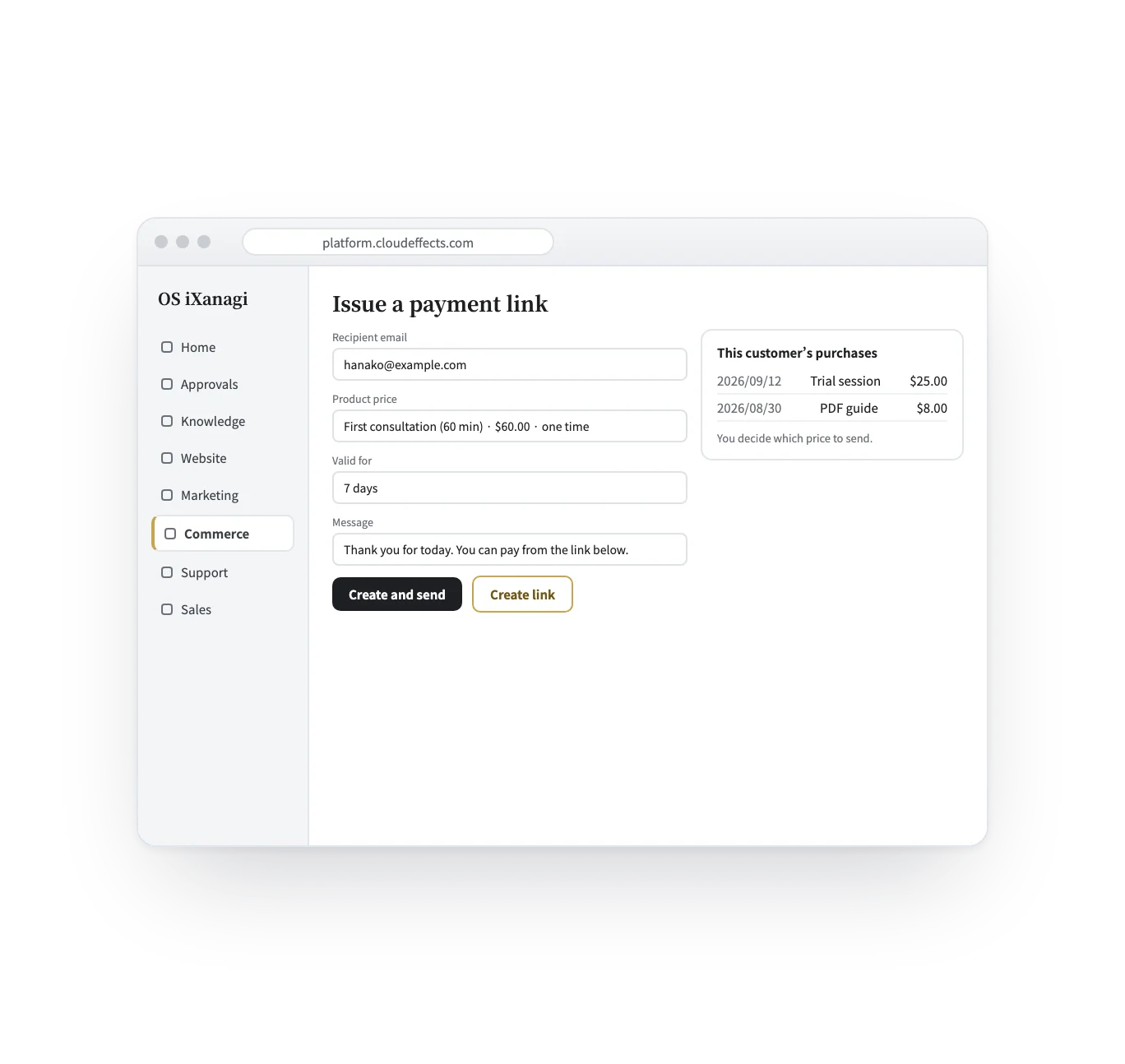
Enter the recipient’s email, choose one of your product prices, and set how long the link is valid (7 days by default, 1 to 30). No amount is typed by hand, so the price can never drift. The customer’s past purchases appear from their email address.
Who it suits
After the first session, send the price for the full plan.
A 5-session pass or a monthly plan, sent right after a trial.
Prices made for payment links only — not shown in your store.
No cart needed: the agreement goes straight to a payment.
Payments
Payments run on Stripe. Which ways to pay appear is up to you: only the methods you register are offered to the customer.
What it does
With the rest of OS iXanagi
A payment link is not a separate tool. It uses the products, prices, site and customer records that are already in OS iXanagi.
What changes
What it needs
Every App comes with the plan. Unless an App is activated, its capabilities cannot be used — from the screen or the API.
Payments run on Stripe only. Links go out by email, or you copy and hand them over. A link is always made from a product price, so there is no link where the customer types the amount — make a price for payment links instead. Refunds are not made from this screen.
FAQ
Stripe. You connect your own Stripe account; the ways to pay shown to customers are the ones you register.
No. They open the link and pay. Once paid, they are added to your customer records and get an order email that opens their customer page.
Make a price for payment links only. It is not shown in your store, and the link will carry exactly that price.
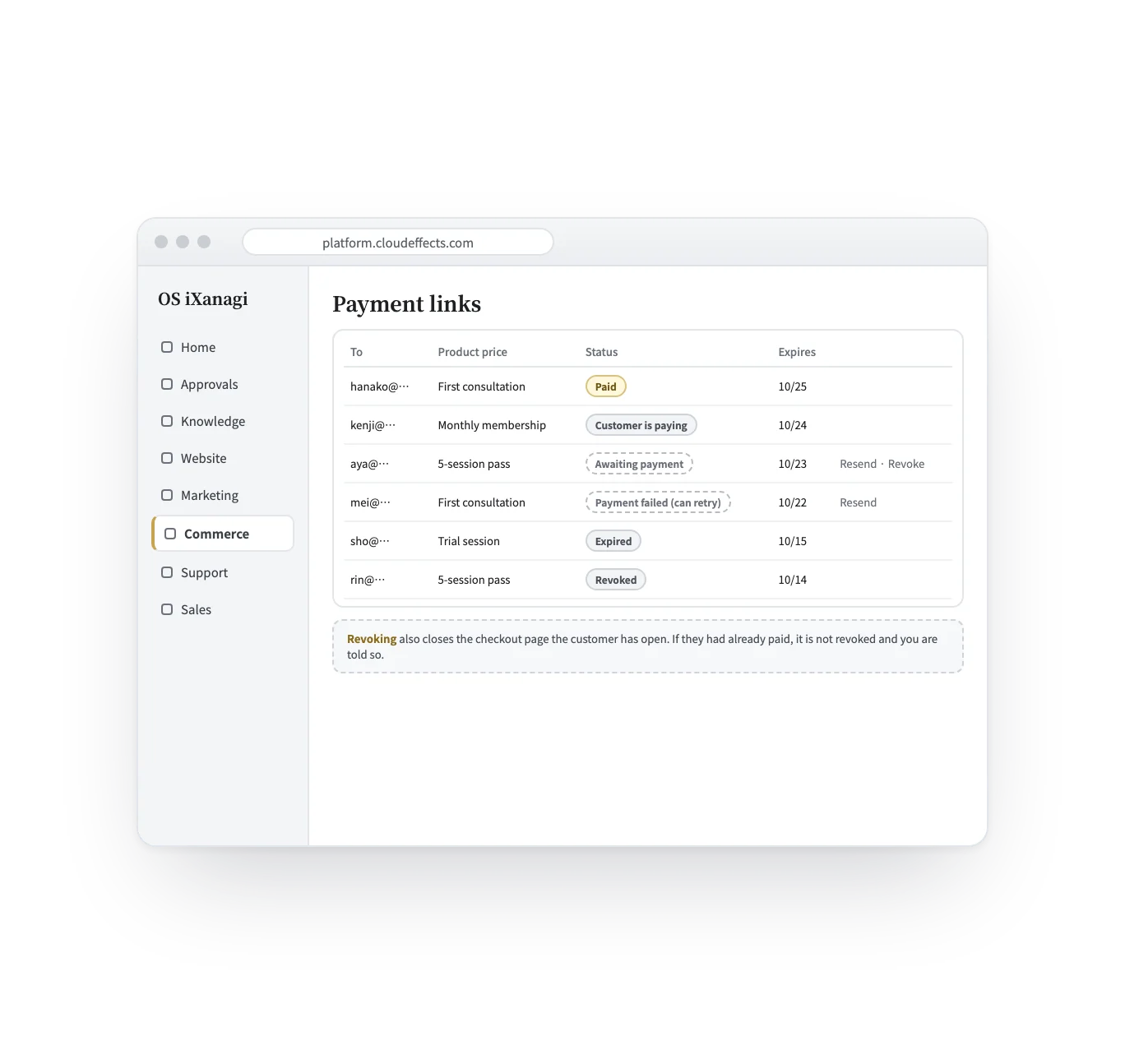
The payment is kept as it happened. “Paid” is judged before “expired” or “revoked”, so money that moved is never hidden.
Works well with
Curious? Ask the AI directly — it answers in terms of your business.