


Deciding what to write next
Until now
Pick from the words with the most searches, or from a hunch.
From now on
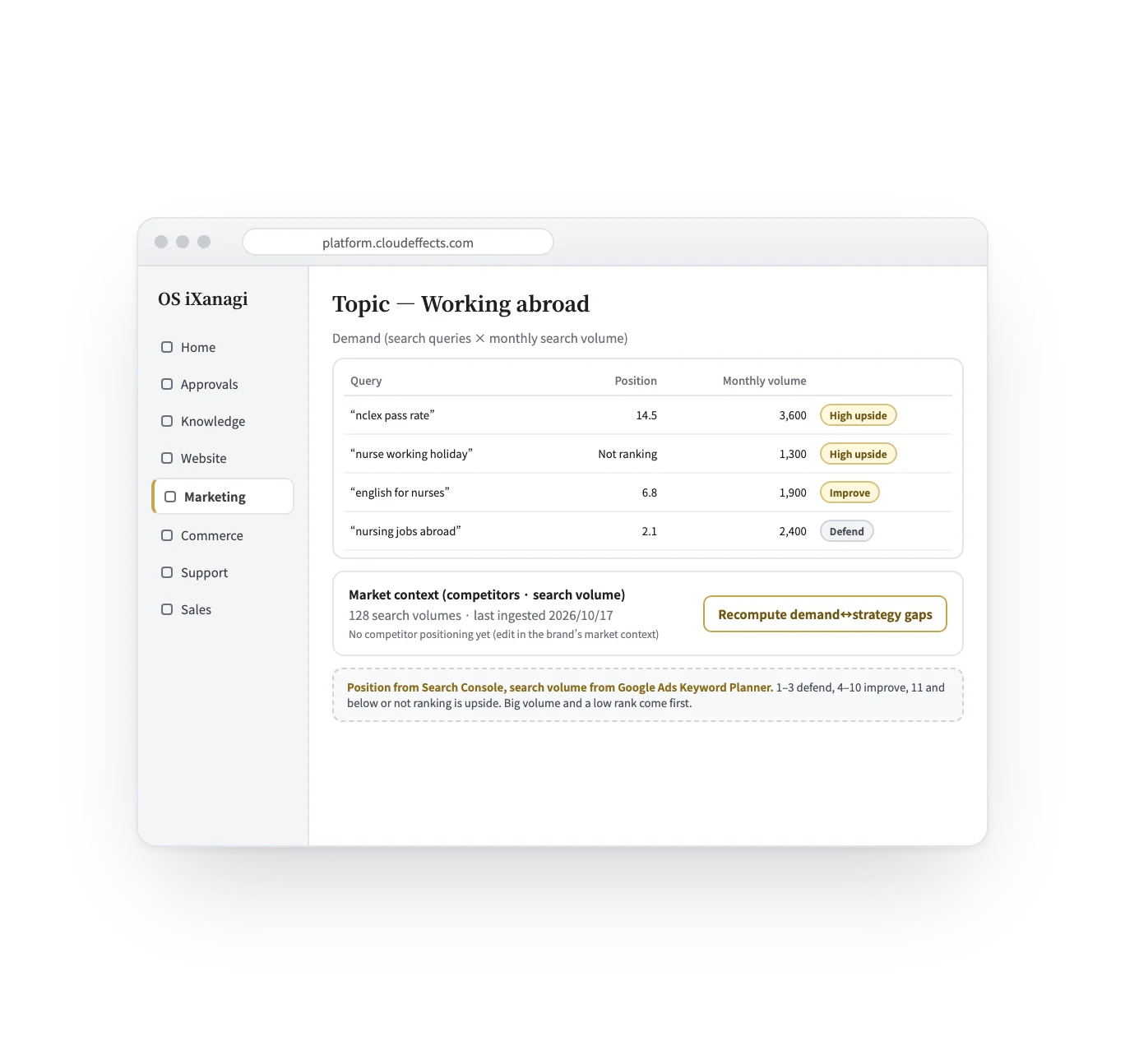
Words with big demand where you barely show up come first, marked High upside.
Connector — Search and analytics
Connect Google Search Console and GA4, and your site’s search record comes in day by day: which words it showed up for, how often, at what position, how many clicks, and the page views of each page. Add Google Ads Keyword Planner and you also learn how often each word is searched in a month — and the words are lined up by headroom, not by volume.
Works
Two ways in
OS iXanagi has two ways in for the numbers. A connector connects. This connector is the line between Google and your brand: it brings in how you show up in search, and GA4’s page views. The other is the measurement the Website App already puts on your public site (the beacon): it counts what happens on the site itself — pages read, on-site searches, outcomes such as a form sent. Google’s daily values are taken as Google confirmed them, so importing the same day again replaces it instead of counting it twice. The beacon adds up each signal as it arrives.
| The Website App’s beacon | This connector | |
|---|---|---|
| In a word | OS iXanagi’s own measurement, already on your public site | The line between Google (Search Console, GA4, Keyword Planner) and your brand |
| What it sees | Pages read, on-site searches, and outcomes such as a form sent | Search words, impressions, clicks and position; page views per page; monthly search volume per word |
| How it counts | Counted as each signal arrives, with nothing that identifies a person | Taken as Google confirmed them: re-importing a day replaces it, never counts it twice |
| How you start | Runs once the Website App is active — nothing to connect | “Connect with Google” under Connections, then pick your existing property |
How it flows
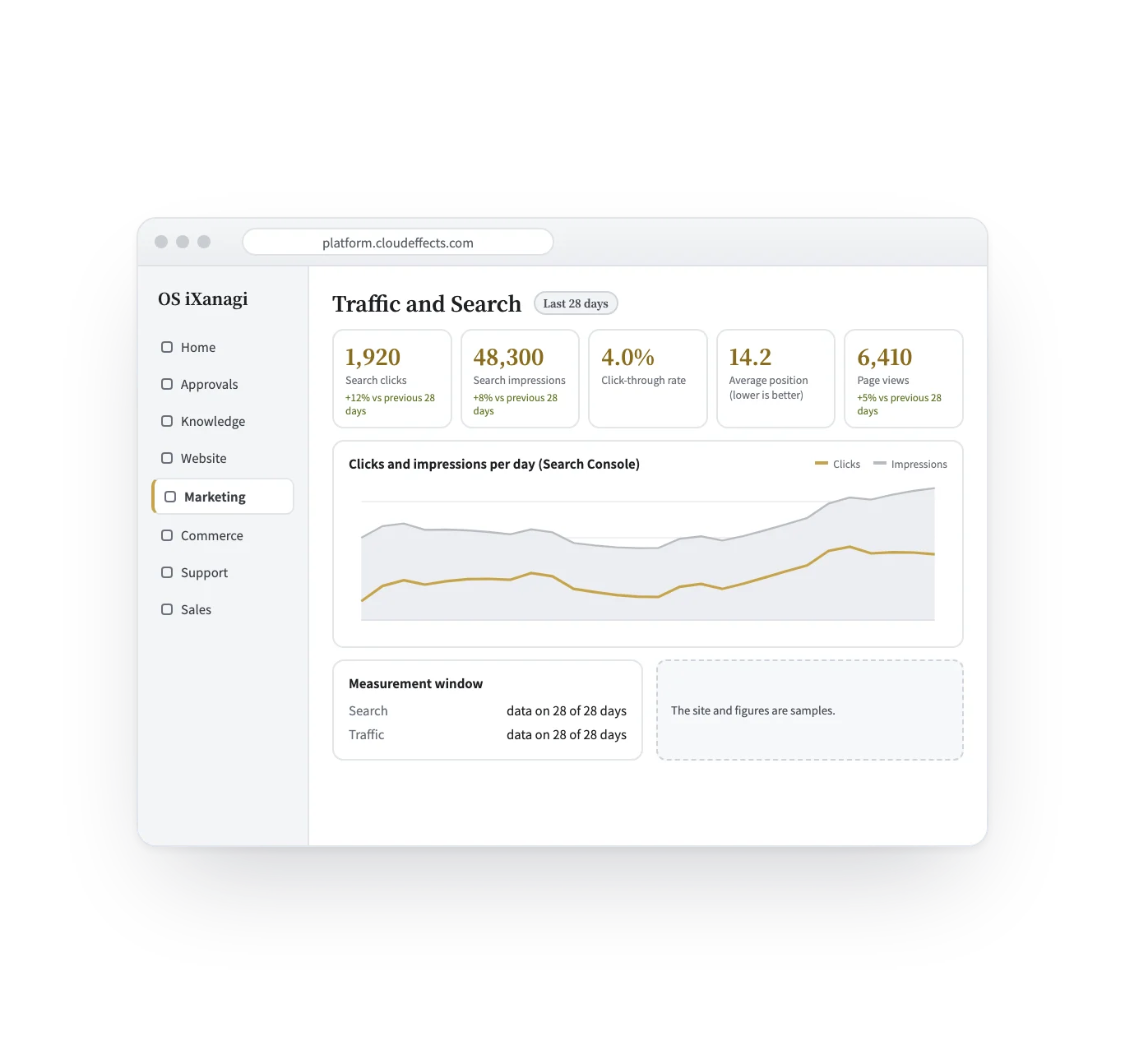
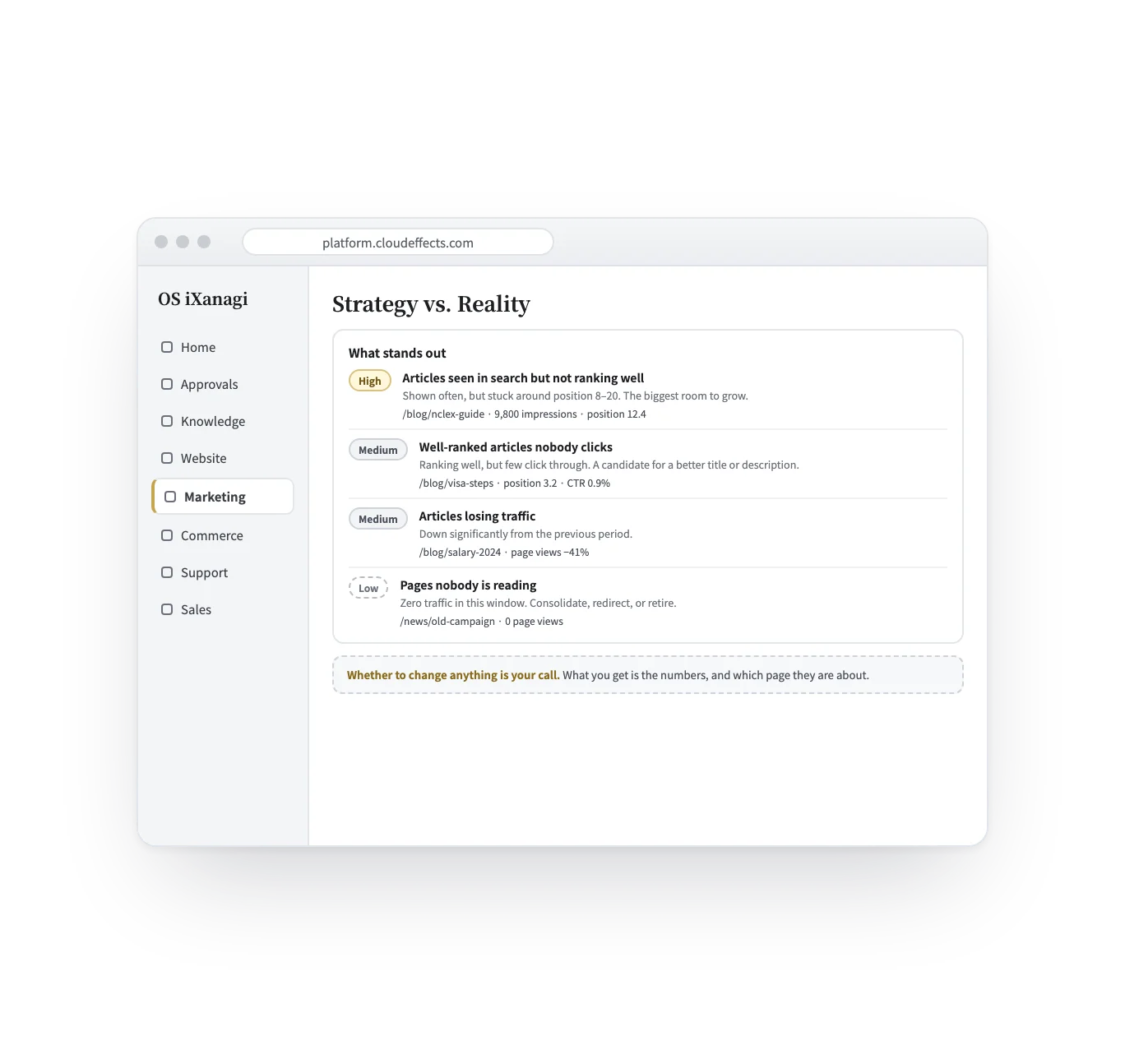
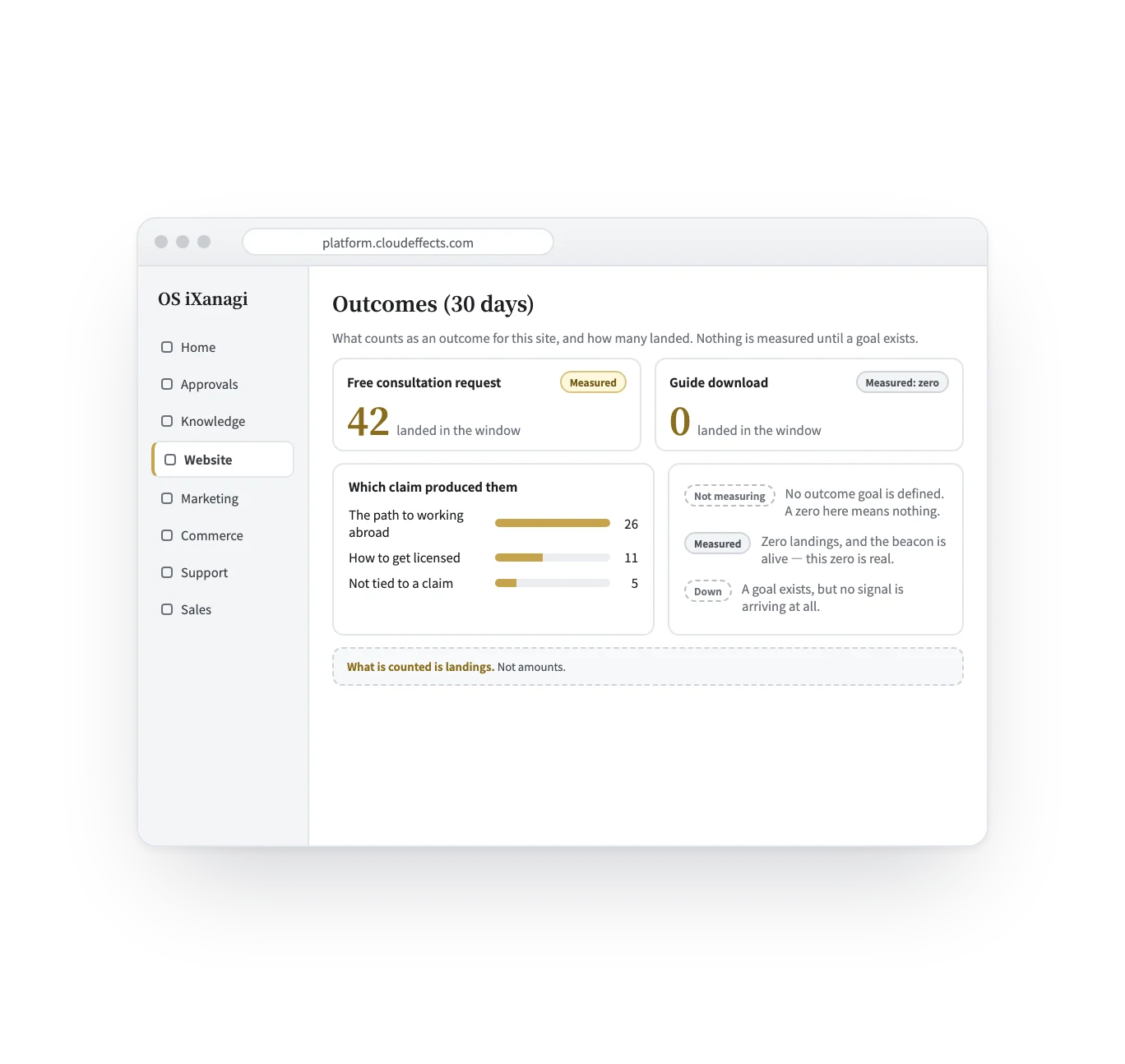
From connecting to counting outcomes, in five screens. The screens are samples; the sites, words and figures are examples.
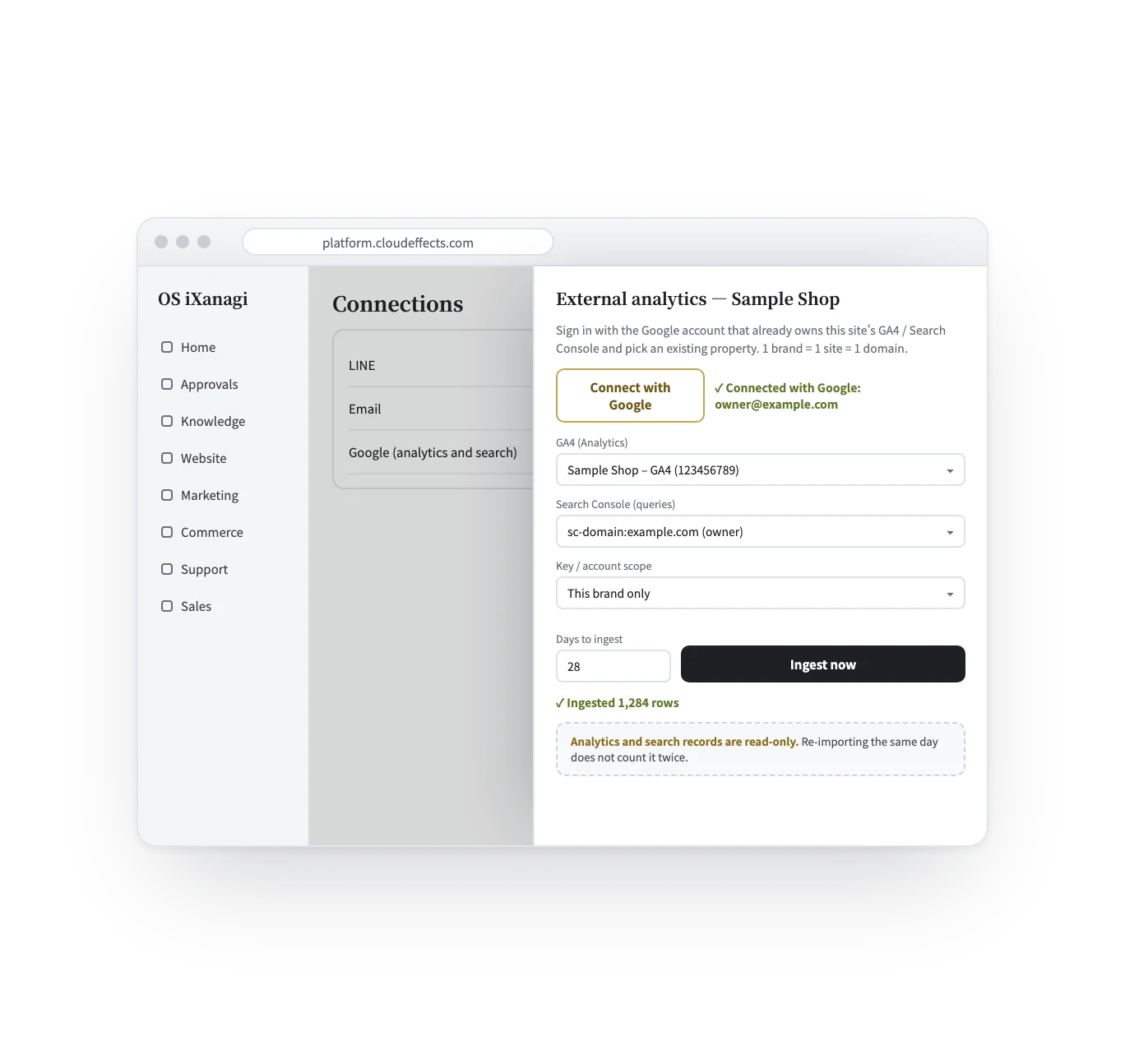
Under Connections, press “Connect with Google” and sign in with the Google account that already uses this site’s GA4 and Search Console. Pick the existing property and site — nothing to set up again. Choose the days and press “Ingest now”.
Who it suits
Blogs and media: what to write next, and which old article to fix first.
People find you by searching their problem. See which problems bring them.
From the search words to the requests that actually landed.
Each brand connects its own site, so the numbers never mix.
What it does
With the rest of OS iXanagi
The numbers do not stay on a report. They meet the strategy, briefs and pages that are already in OS iXanagi.
What changes
Getting set up
Connecting a Google account is for people allowed to handle connections. The organisation’s owner can grant it from the Members screen.
Under Connections, press “Connect with Google” and sign in with the account that already uses this site’s GA4 and Search Console.
Choose the GA4 property and the Search Console site from the lists. One brand is one site and one domain.
Press “Ingest now”. For search volume, press “Connect with Google (allow Keyword Planner)” and save your Google Ads customer ID (10 digits).
What it needs
Every App comes with the plan. Unless an App is activated, its capabilities cannot be used — from the screen or the API.
Analytics and search records are connected read-only, with explicit consent. Search volume is the one exception: Google Ads has no read-only permission, so connecting Keyword Planner asks for access that includes managing the ads account. OS iXanagi only uses it to look up how often words are searched. An Ads account with no active campaigns gets volumes as ranges (for example 1K–10K) rather than exact numbers. From GA4, page views per page are brought in; outcomes are counted by the site’s own beacon. Search Console goes back up to 480 days and GA4 up to 365 days. Competitor rankings are not brought in; competitor positioning is entered by hand. Access can be withdrawn at any time from your Google account settings.
FAQ
No. Sign in with the account you already use and pick the existing property and site. Use the property ID, not the measurement ID that starts with G-.
Analytics and search records are read-only. Search volume is the one exception: Google Ads has no read-only permission, so connecting Keyword Planner asks for access that includes managing the ads account. OS iXanagi only uses it to look up how often words are searched. You can withdraw access any time from your Google account settings.
Search records are one row per day and word (or page); page views are one row per day. Importing again replaces the row, so nothing is counted twice.
Yes, as a CSV of date, kind, label and value (kind is search_query or page_view). The same date and label replaces the earlier row.
For advanced setups, you can save a service-account key (JSON) instead and add its email to GA4 and Search Console. The key is stored encrypted.
The screen tells you. A measured zero, a window where no rows arrived, and a source that could not be read are each shown in their own words, not as the same zero.
Not as training. No number is used to train an AI model. The AI reads the records each time it needs them, as material for “Strategy check” and for the pages it drafts; nothing is baked into a model.
Works well with
Curious? Ask the AI directly — it answers in terms of your business.
