


Taking an enquiry
Until now
Read the inbox and copy it into the ledger. The one you forget is the one you lose.
From now on
Mail from known customers lands as a case or a lead on its own. You start from the case.
Connector — Email inbox
Connect your brand’s Gmail and OS iXanagi reads the inbox without changing anything in it. Mail from people you know as customers lands: a problem becomes a support case, anything else a lead, and a reply is appended to the same case. Your answers go out from your brand’s own address. The one you forgot to copy is no longer the one you lose.
Works
How it flows
From connecting the mailbox to a reply in the customer’s inbox, in five scenes. The screens are samples; the shops, people and figures are examples.
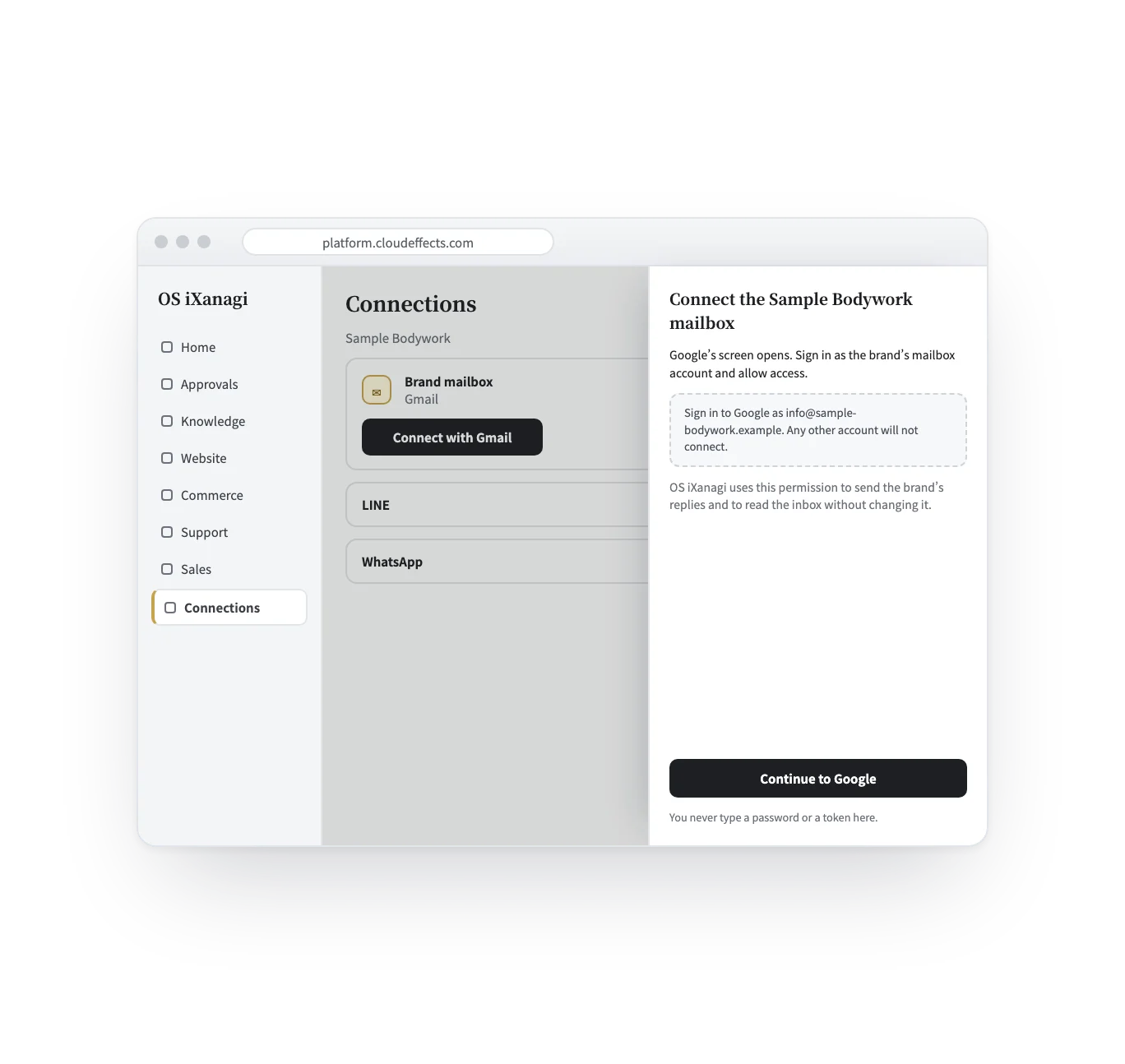
On the Connections screen, press “Connect with Gmail” for the brand’s mailbox, then sign in to Google as that mailbox and allow access. You never type a password or a token into OS iXanagi. If the brand already has a sender address, signing in as any other account does not connect.
Mail and the AI
Mail is not training data. Nothing you take in is used to train an AI model, by us or by the AI providers we use. The AI reads the mail the way a new colleague would: to draft a reply, with its sources shown, from what your brand has already answered and already knows. What it may do on its own is decided by you.
When you need it
Customers write to your address. It reads the brand’s shared inbox.
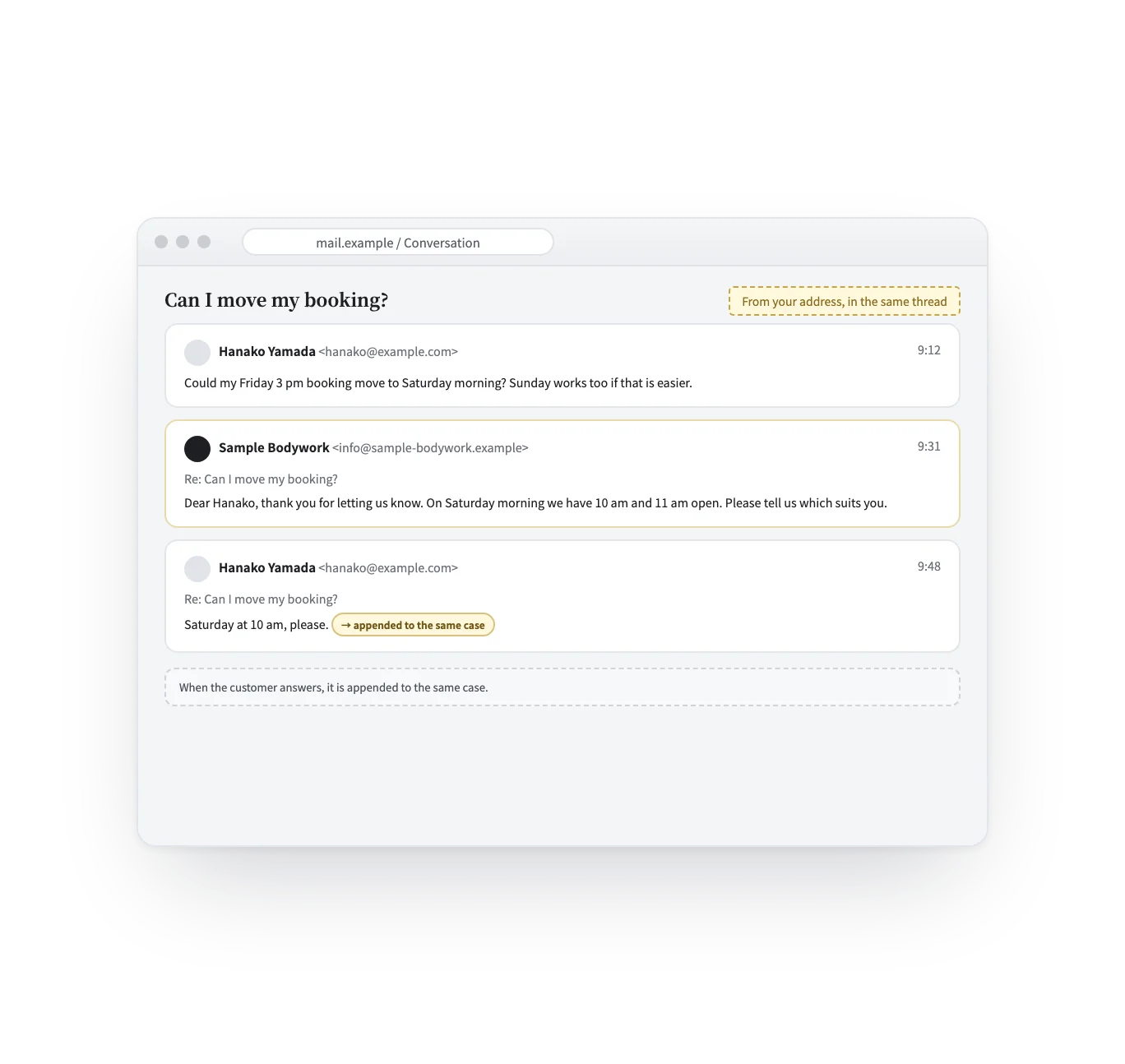
A reply is appended to the same case, so the thread stays whole.
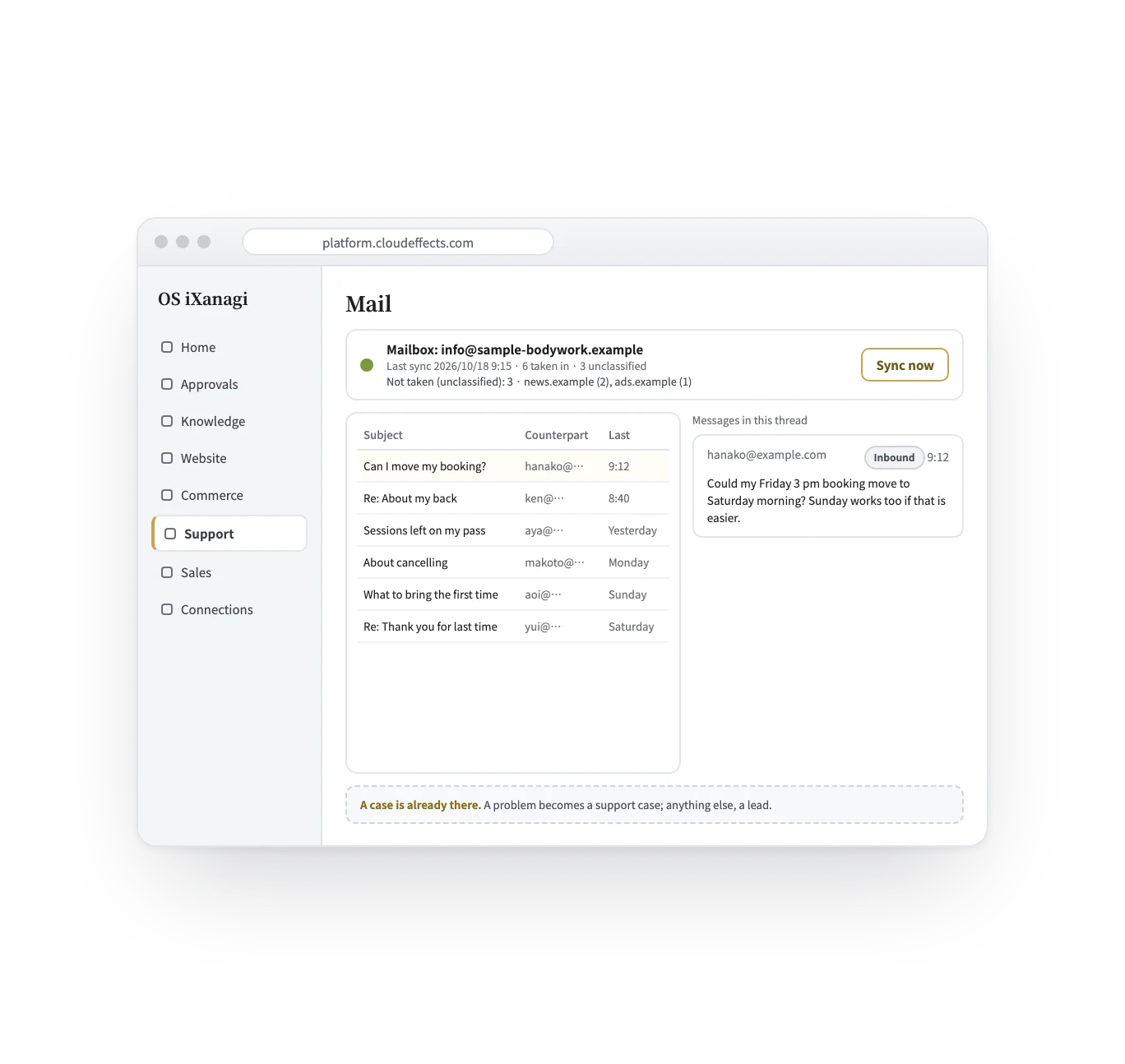
Newsletters and automatic mail are left out; unknown senders are counted, not turned into cases.
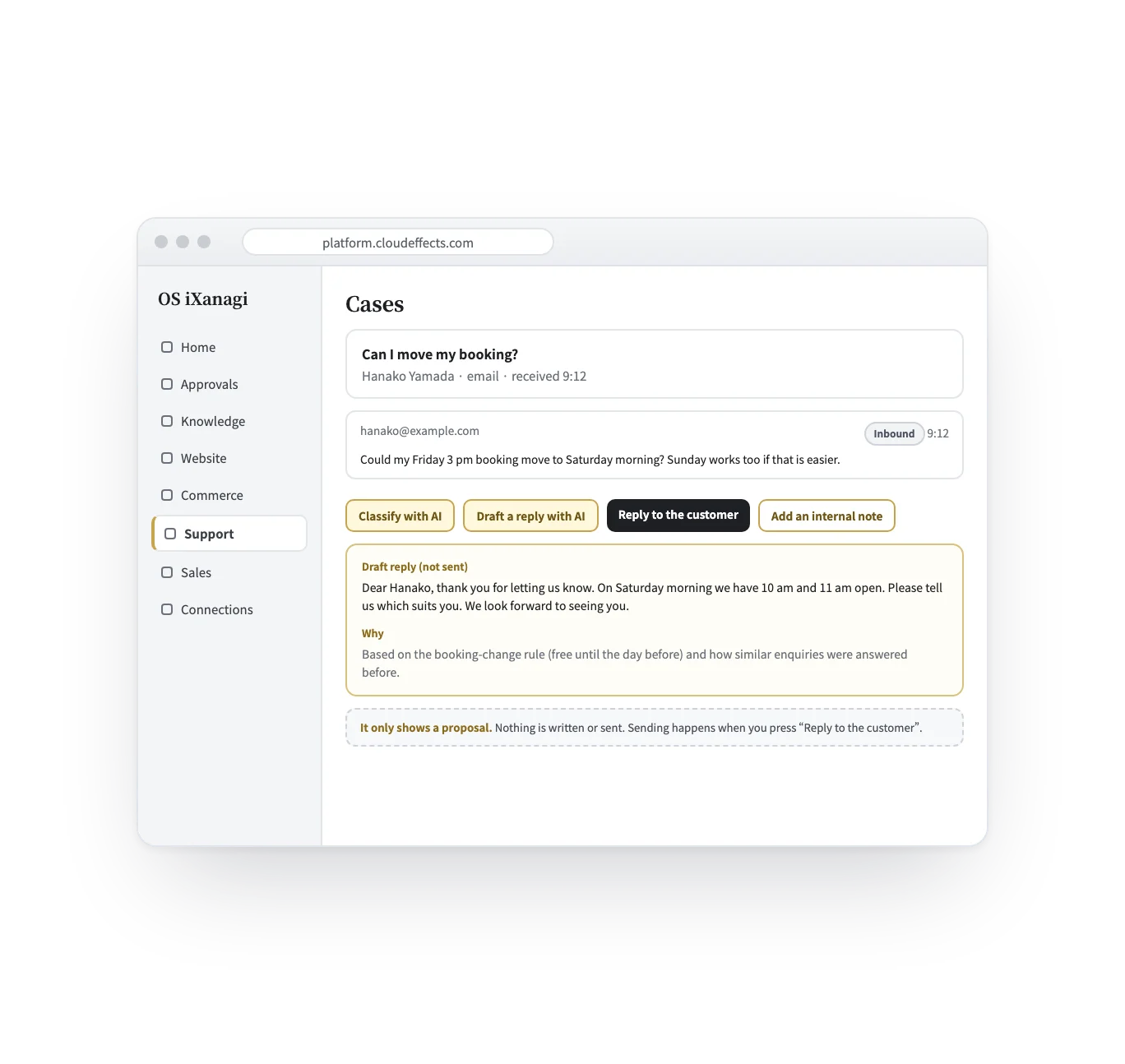
The AI drafts from what your brand already knows and has resolved before.
Connector and Apps
A connector is the line; an App is what runs over it. The email connector connects your brand’s Gmail mailbox to OS iXanagi: it reads the inbox and sends from the brand’s address. What happens to a mail — a case, a lead, a reply drafted from your knowledge — belongs to Support and Sales.
| Support and Sales | The email connector | |
|---|---|---|
| In a word | What runs over that line: keeping each mail as a case or a lead | The line between the brand’s Gmail mailbox and OS iXanagi |
| What it decides | Who answers, what the AI drafts, when the case is closed | Which mail is taken in, and which address replies come from |
| How you start | Activate Support (and Sales for leads) | Connect with Gmail on the Connections screen |
What it does
With other Apps
Other Apps send from the same brand address, so customers always hear from you — not from a system.
What changes
Getting set up
The mail you receive is read and answered in Support. Activate Sales too if mail that is not a problem should become a lead.
On the Connections screen, press “Connect with Gmail” for the brand and allow access on Google’s screen. The tenant owner (or someone allowed to connect this brand) does this.
In Support’s Mail screen, press “Sync now”. The first read goes back 30 days.
Look at what was not taken in. Register a sender as a customer (for example with “New customer” in Sales’ Customers screen), and their next mail lands as a case or a lead.
What it needs
Every App comes with the plan. Unless an App is activated, its capabilities cannot be used — from the screen or the API.
Gmail The mailbox it connects to is a Gmail (Google) account. Google asks for full access to Gmail — the only permission Google offers for sending from Gmail’s servers. OS iXanagi uses it for two things: sending the brand’s replies, and reading the inbox without changing it.
What it reads The brand’s shared mailbox: the inbox and the sent folder. The first read goes back 30 days; each sync reads a limited number of messages, and the rest come in on the next one. Mail that arrived before you registered its sender as a customer stays in the “not taken” count.
Disconnecting stops both sending and reading. The access you granted on Google stays until you remove it in your Google account.
FAQ
Gmail (a Google account). You connect by signing in to Google and allowing access.
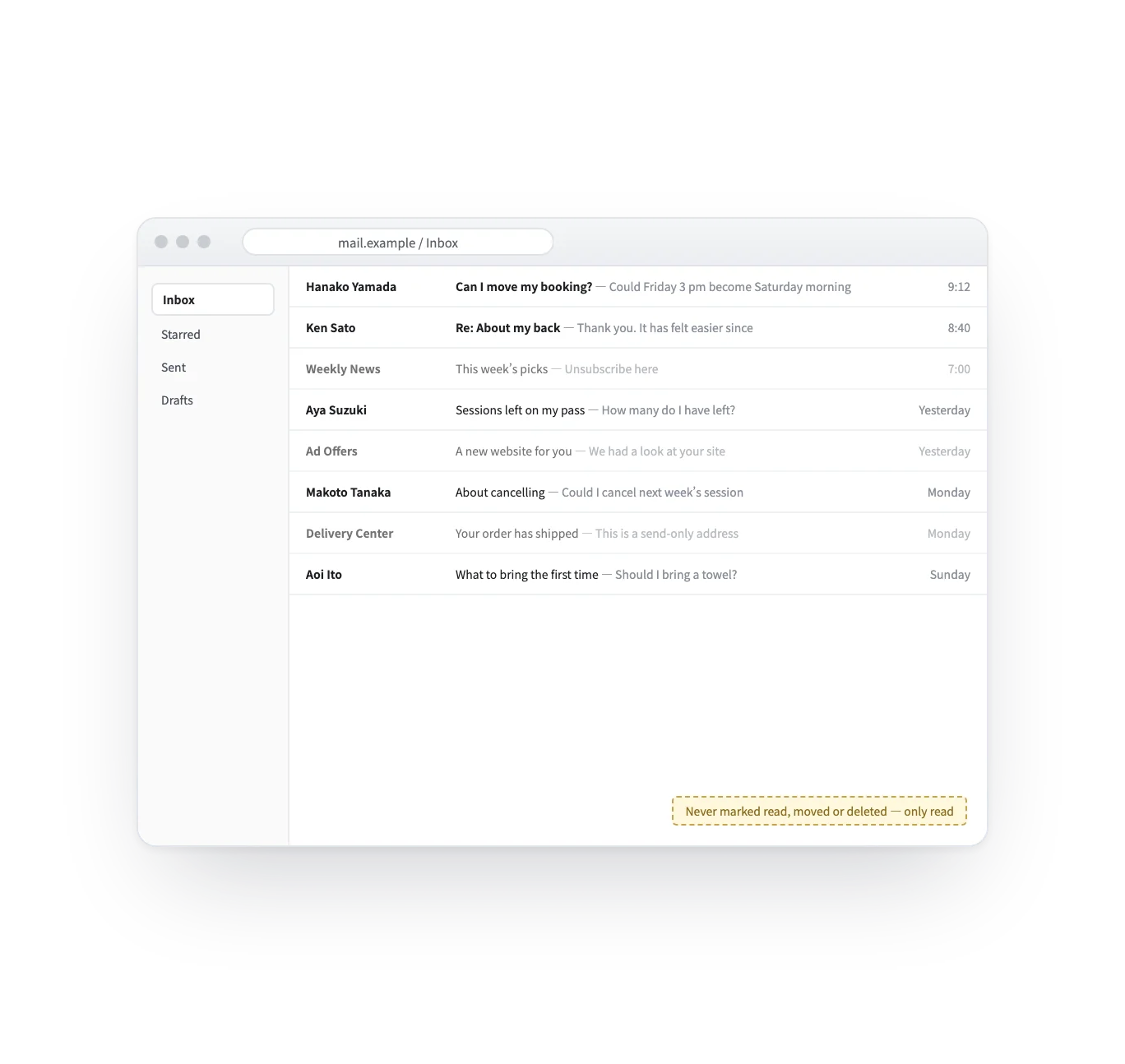
No. It does not mark mail as read, move it or delete it. Your mail keeps arriving where it always has.
No. Newsletters and automatic mail are left out, and mail from senders who are not known customers is counted as unclassified — not turned into cases. A person decides who is a customer.
No. “Draft a reply with AI” only shows a draft. A reply is sent when a person presses “Reply to the customer” and confirms, or within a scope you delegated to the AI with limits, a budget and an end date.
It drafts from it, and does not send. For each new question the AI retrieves the past replies nearest in meaning, from an index of the replies you sent with addresses and names redacted, plus the resolutions recorded on comparable cases and the brand’s knowledge. Its sources are listed under the draft, with how close each past reply was. You read it, change it if you like, and press “Reply to customer”. A reply goes out without a person only inside a scope you delegated to the AI yourself.
Not as training. Your mail is not used to train an AI model, by us or by the AI providers we use. What grows is what the AI can look up: the replies you send are indexed by meaning, with addresses and names redacted, so the next similar question finds them; and when a case is resolved, its learning can be kept and, once a person approves it in the Knowledge Inbox, the next drafts build on it. Looking up is also what lets a reply be removed again when someone asks for their data to be erased.
No. Only mail from people you know as customers, replies on a conversation that has already landed, and the sent folder. Unknown senders are counted by domain, with sender, subject and date, never the body. The first read goes back 30 days, and each sync reads a bounded number; the rest come in on the next one.
From the brand’s connected mailbox. The subject carries “Re:” and the reply threads with the customer’s mail. Who sends is never something a request can change.
The reply you wrote stays on the case, and the fact that it was not sent is recorded beside it. “We wrote it” and “it was delivered” are kept as two facts.
Works well with
Curious? Ask the AI directly — it answers in terms of your business.
