
CloudEffects

Commerce App

Stop bending your business to fit a shop template.

Commerce is the app that takes you from selling a product to getting paid — and keeps the buying and the money behind it in one place. Products and stock, orders, payments, a page for your customers: the basics match any online shop. The difference comes after that. Sourcing, quotes, shipping and invoicing can be added one at a time, when you need them. Credit limits and subscriptions are built in from the start.

What Commerce does

Sell, source, and count. That is all it does.

What goes in
Products & pricesSupplier pagesOrdersPayment updates
CommerceLedgers for goods and money
What comes out
Stock CSV for marketplacesWhere you make moneyWhen cash arrivesMonthly settlementsYour customers’ page
  1. Sell

    Products, stock, orders, payments. Start with the basics. If you simply make and sell, you add nothing.

  2. Source

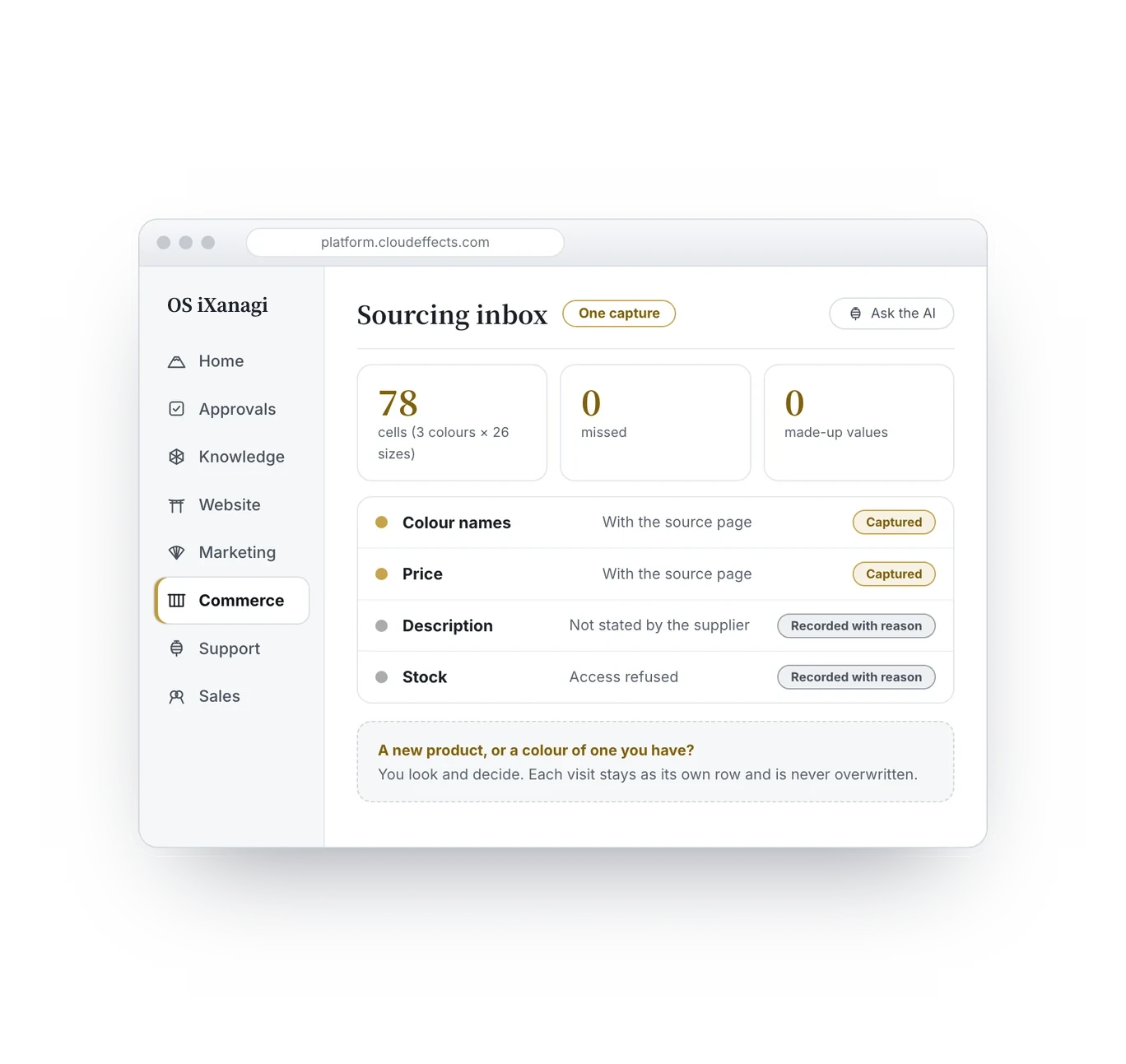
    Open the supplier’s page and press one button — it lands in your inbox. Check it and adopt it, and it becomes a draft product. No more copying by hand.

  3. Count

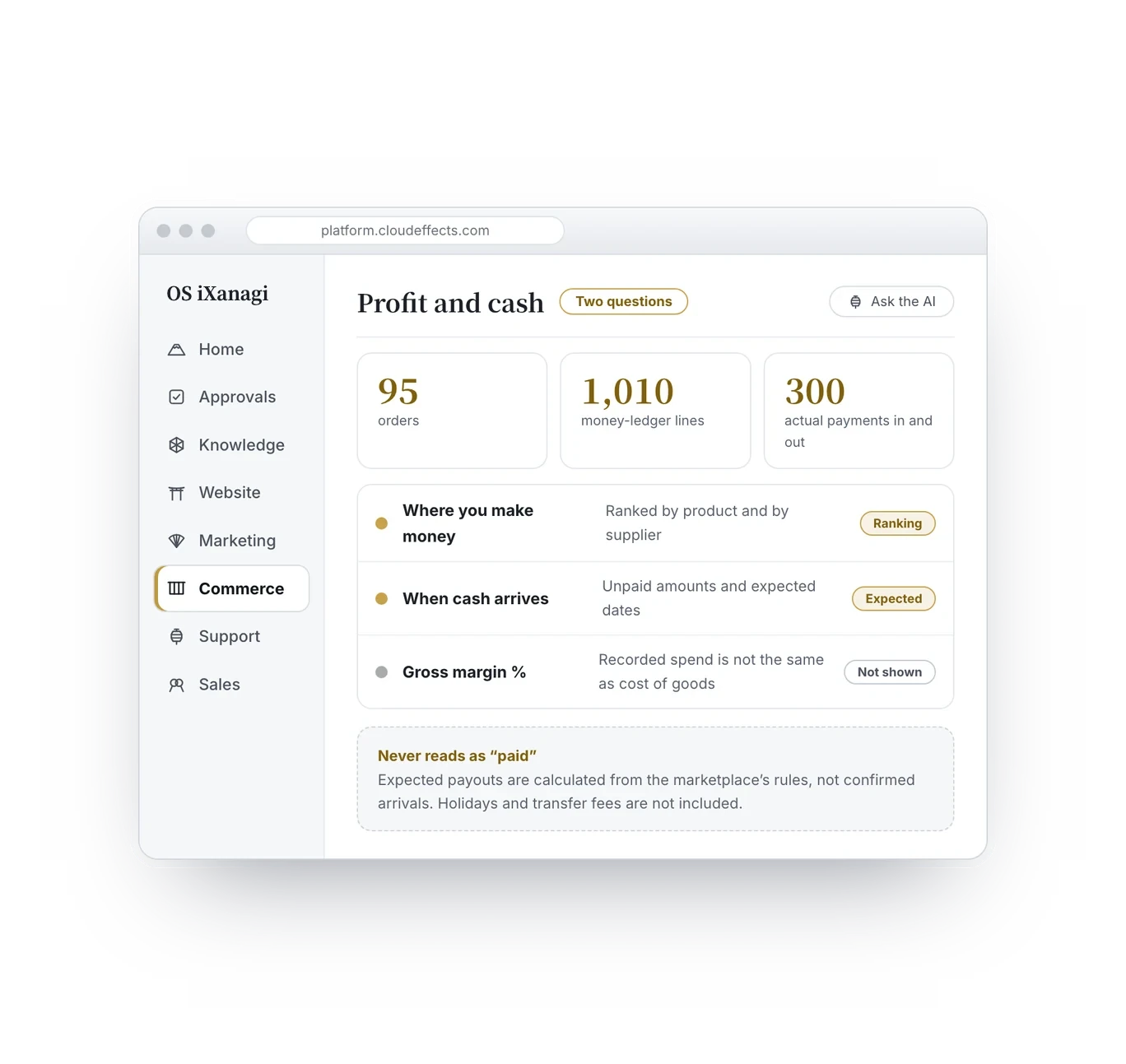
    Goods and money are recorded separately. Where you make money, and when it turns into cash, is visible without waiting for month-end.

The problems it solves

Does this sound familiar?

They look like separate problems, but the cause is one. Your kind of business was never built into the tool, so people fill the gaps by hand.

Features

What you can do with the Commerce App.

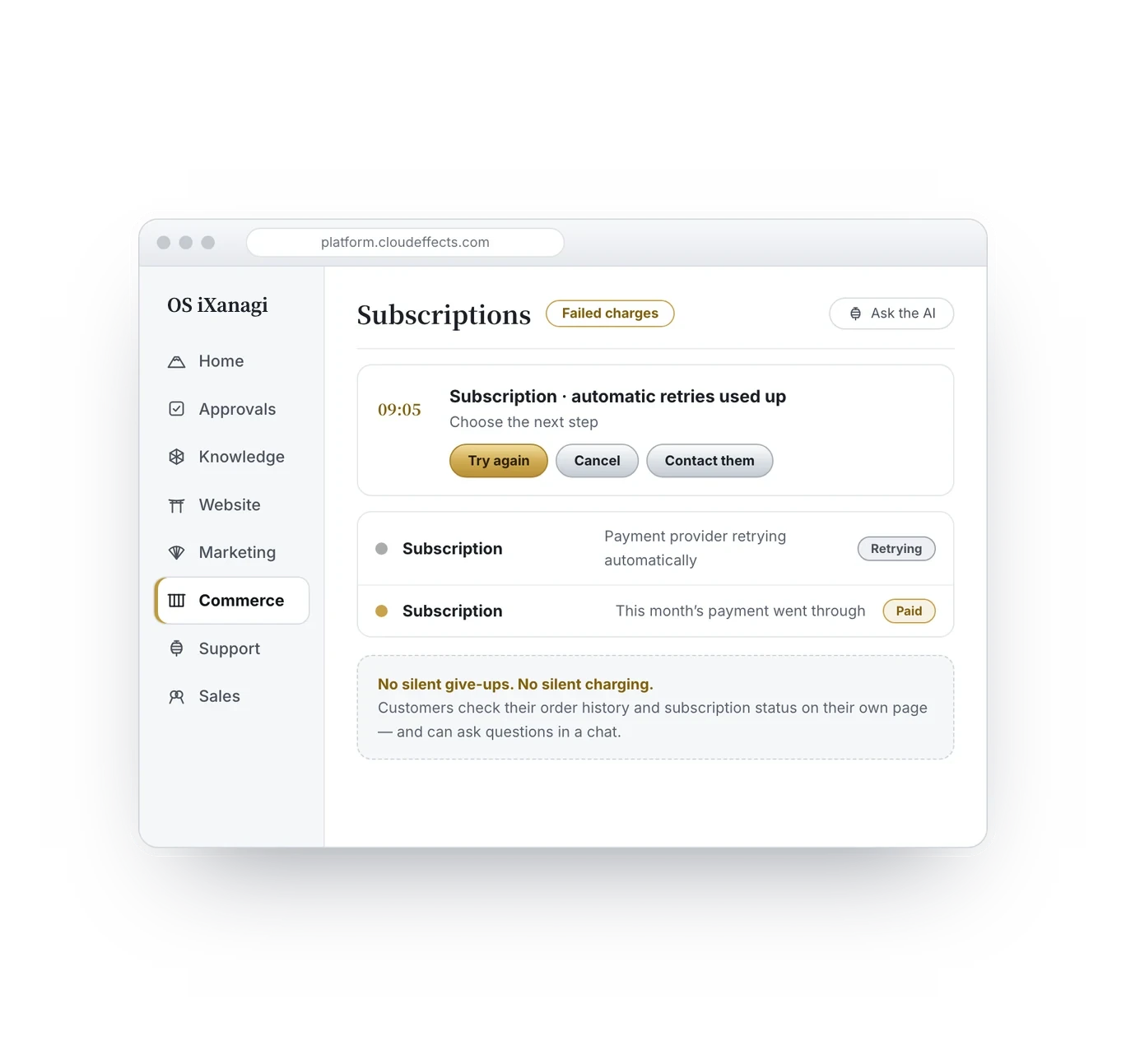
Six features. Each one works on a screen you look at, with you making the call.

Pick a shape, add capabilities
1Pick a shape, add capabilities

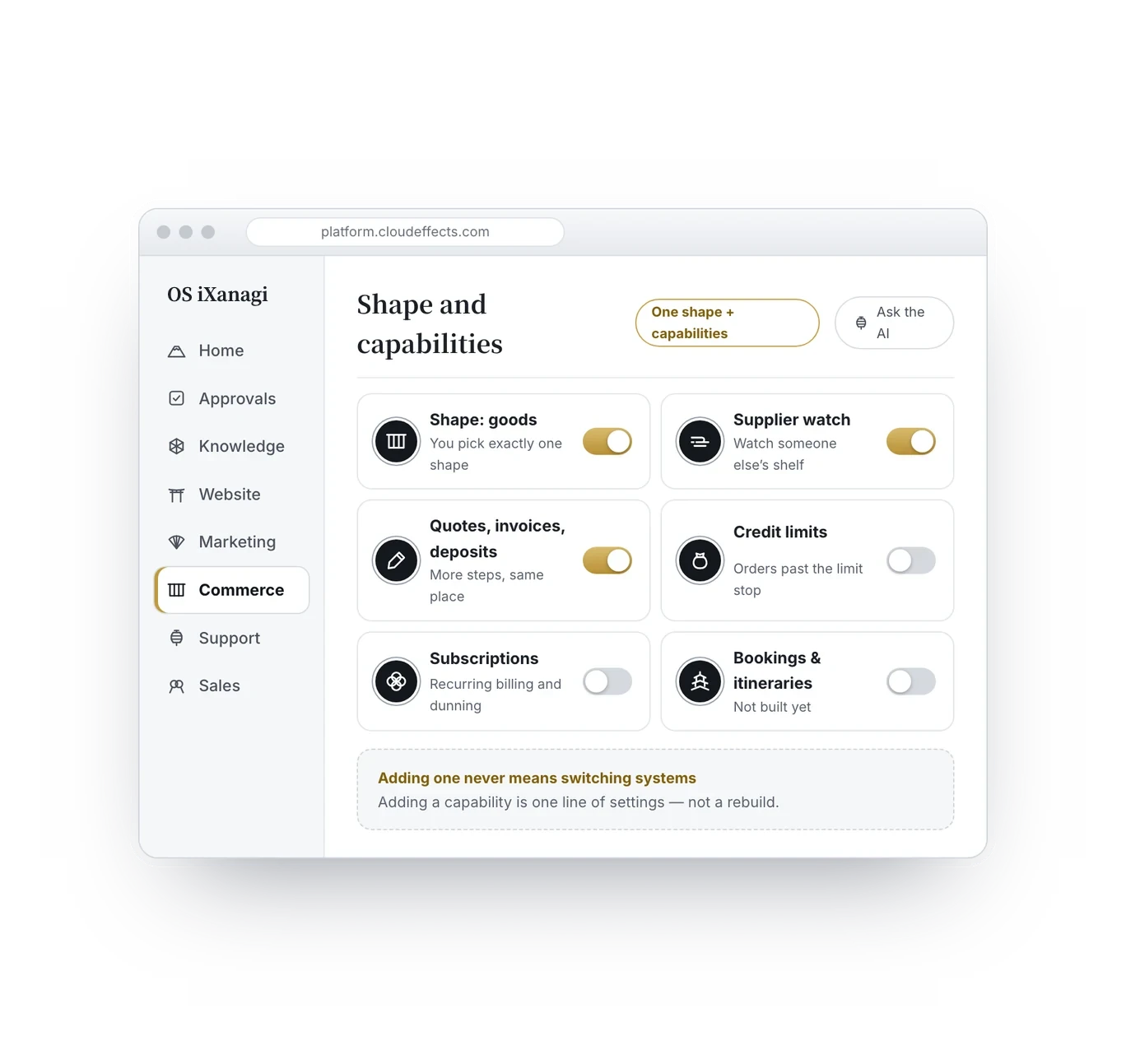
Choose one shape for what you sell — goods, seats, services, content or a recurring plan. Then stack on capabilities such as sourcing, quotes or invoicing, only as many as you need.

1 / 6

Screens are drawn for explanation. Details differ from the actual product.

Your kind of business

One shape. As many capabilities as you need.

Most sales software decides up front which kinds of product it can handle: goods fit, but a webinar, a product you buy to resell, or credit terms for a business customer each mean another tool. OS iXanagi is built so that any product can be designed as one product. Goods or services, you define the attributes that fit that product — and then layer on how you sell it, capability by capability, only as many as you need.

Designing the product, then choosing how to sell it

Goods or services, each is designed as one product: choose its shape, then the attributes that fit it (a date and venue for a webinar; colours and sizes for clothing). How you sell it is a capability layered on top — buy to resell, quote through invoice, credit terms, subscriptions — added as add-ons only where you need them, and switchable shop by shop within one company. When a capability is missing, it is one line of settings away, never a switch of systems.

Getting paid

After “yes, let’s do it” — just one link.

Payment after the deal is usually a separate tool: make an invoice, wait for the transfer, copy it into the books. Commerce cuts that down from the product side.

How payments are recorded

Payments run on Stripe. Tax is not calculated — it is recorded as “unknown” — and if the amount charged and the order total disagree, it stops before anything goes to the payment company.

What changes

Copying and reconciling get lighter first.

  • Launch speed is no longer set by retyping

    One capture of the supplier page brings in colours and sizes, with evidence.

  • Best-sellers do not vanish overnight

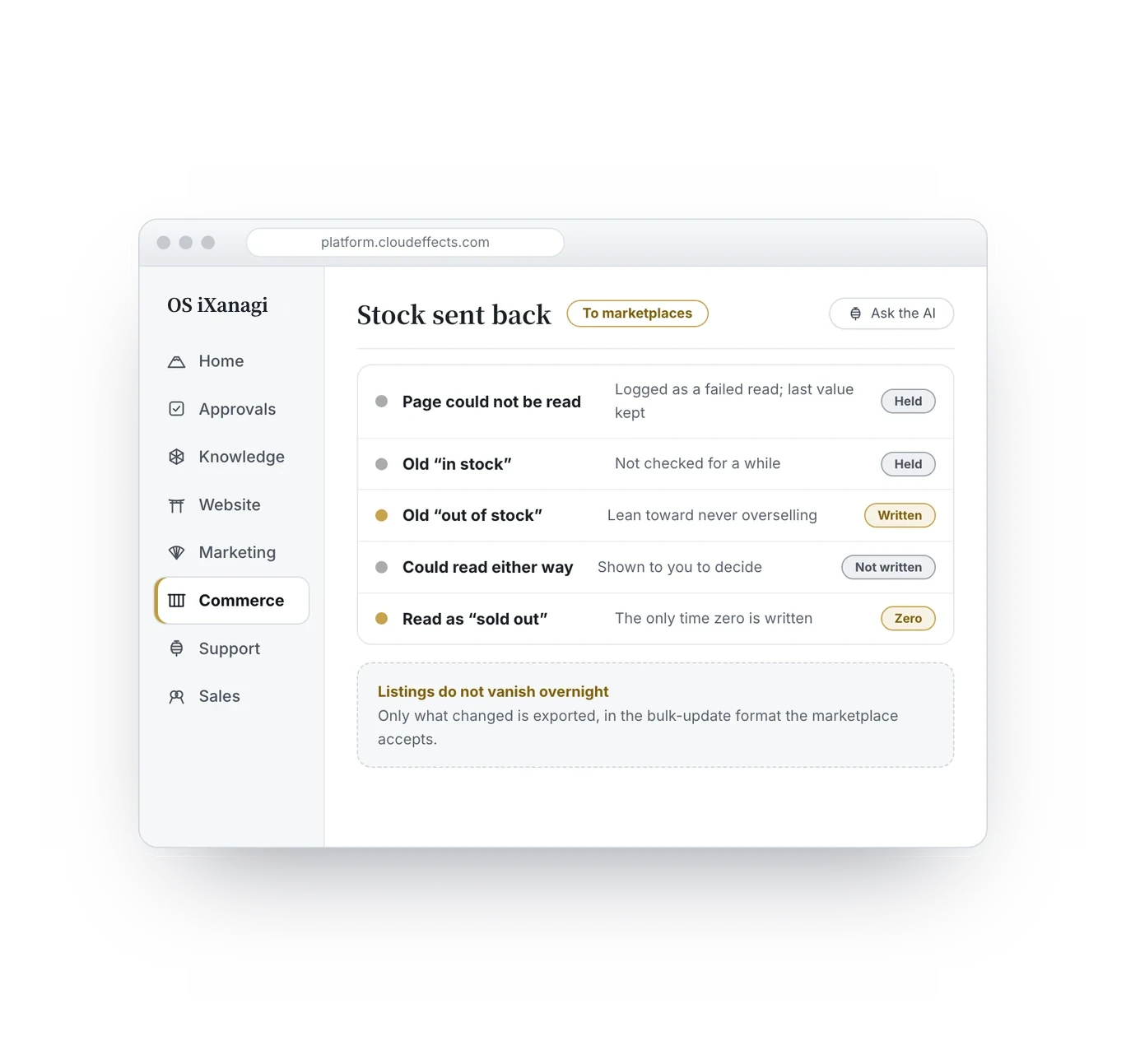
    A failed read never writes zero stock, so it never triggers an automatic delisting.

  • See what you keep, before month-end

    Where you make money, how much is unpaid, and when it is due under each marketplace’s rules — all on screen.

  • No tax-time headaches for the people you pay

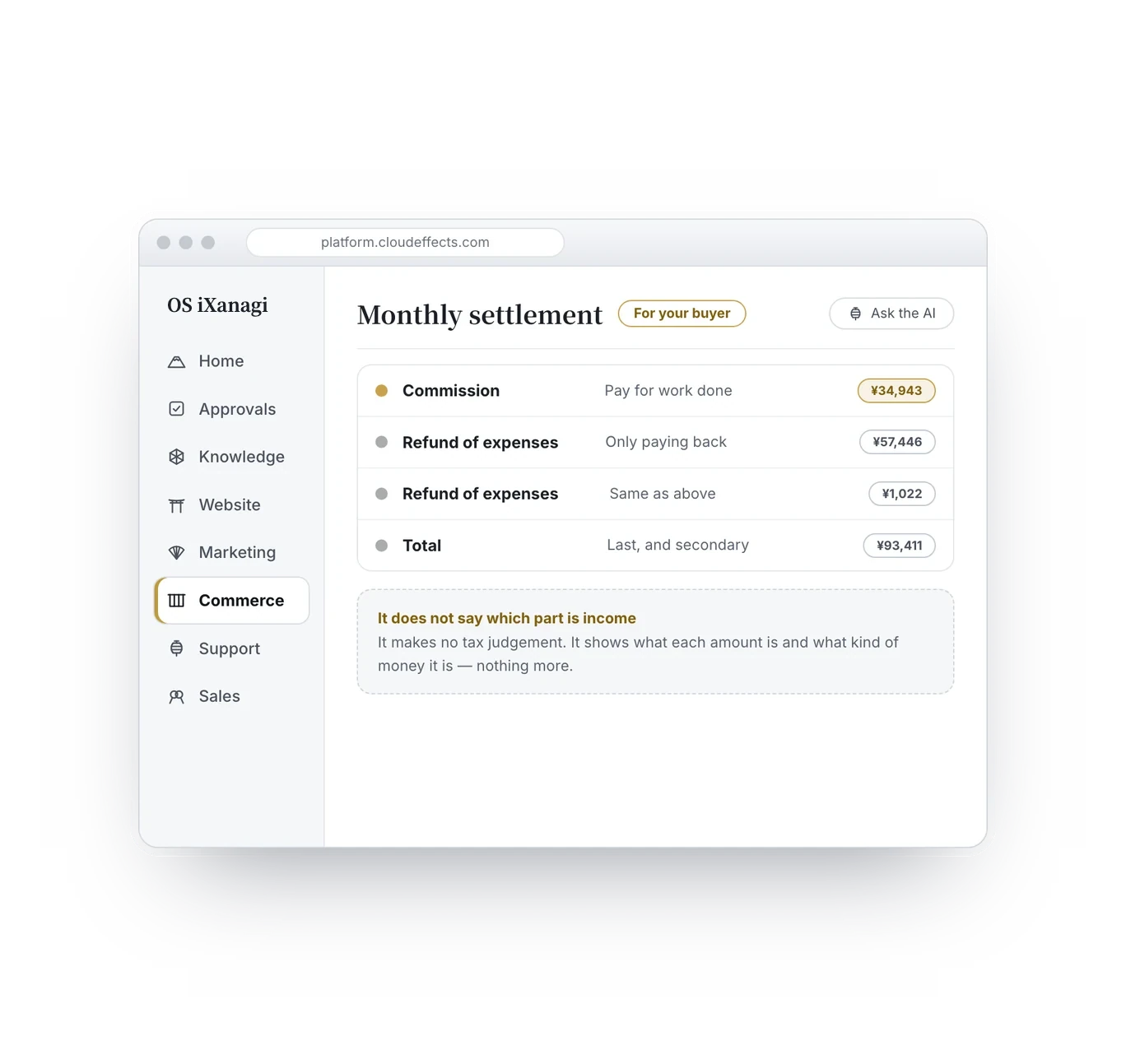
    Hand over a settlement that already separates commission from refunds.

  1. 09:00Open the supplier page and press the button. Three colours in 26 sizes land in the inbox at once.
  2. 09:02Check the inbox. Adopt it as a new colour of an existing shoe, not a new product.
  3. 09:05One supplier could not be read. Stock kept its last value; the listing is still up.
  4. 09:08Look at expected payouts. Unpaid amounts, side by side with payout dates worked out from each marketplace’s rules.
  5. 09:10Done. Not once this morning did you copy a supplier page by hand.

Ten minutes, one morning

Using it with peace of mind

Four promises that protect your business.

A failed read never becomes zero stock

On a day the supplier page cannot be read, the last value is kept. That prevents every size hitting zero, the marketplace stopping your listing, and your sales and ranking disappearing.

No machine will tell you an image is “fine”

Whether you may use a supplier’s images is a matter of law, terms and contracts. It shows where the image came from, what the source has declared and what to watch for — and you decide. Who approved what, and when, is kept as a record that protects you later.

Records are added to, never overwritten

Even when an allocation changes, the old entry stays and “released” or “updated” is added. If the numbers ever disagree, you can trace them back to the original order.

Your suppliers stay invisible to others

Where you buy is the heart of your business. How to read a public site may be shared; who buys there never is.

FAQ

What people ask.

  • No. Keep your storefront and start with the part that takes the most effort — sourcing and the books. Cart and checkout work too, but decide whether to replace your storefront after seeing it run for real.

  • Commerce is included in the OS iXanagi plan ($299/month per brand, provisional while we tune pricing). Capabilities such as sourcing or quotes are added as add-ons, only the ones you need.

  • Adding a capability is one line of settings — not a rebuild, not a switch.

  • Each supplier is read with a wait between requests. Whether it is allowed under their terms is your call, not the tool’s.

  • No. It keeps the business-side records and makes no tax judgements. But because monthly settlements come split into commission and refunds, there is far less confusion before anything reaches your accountant.

  • Yes. Records are added to, never overwritten, so you can always find which order something originally belonged to.

  • No. Tax is recorded as “unknown”. If the amount charged and the order total disagree, it stops before anything goes to the payment company.

Defined

Stop fitting your business to the tool.

Copying and reconciling are jobs for the tool. Start by putting the shape of your business into words, together with the AI.

Stop bending your business to fit a shop template. | CloudEffects