


What you said in old videos
Until now
It lives only inside the video. To use it, you watch it again or rely on memory.
From now on
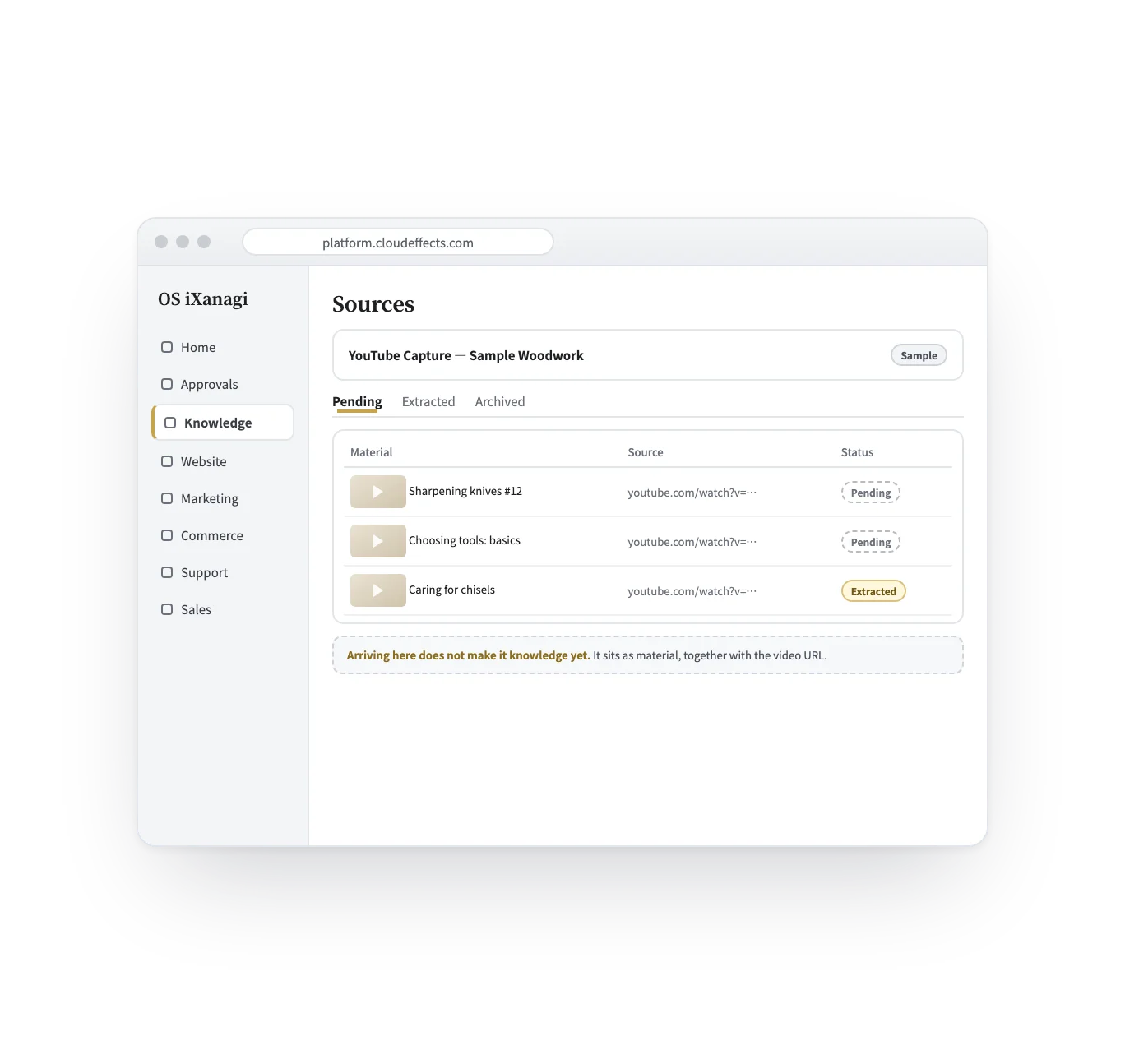
Captions arrive as material with their video URL, and what you adopt becomes knowledge you can find.
Connector — YouTube
What you have explained on camera — how to choose, how to do it, why — is already in your captions. This connector reads the captions of your own videos through YouTube’s official route and files them in Knowledge as material, with the video’s URL. A person adopts what becomes knowledge, and from then on it is there whenever the AI writes for you.
Being tested (as of October 2026)
Connector and Knowledge
The YouTube connector is the line between your channel and OS iXanagi: which videos can be read, and what can be read from them. Turning captions into knowledge happens on the other side, in Knowledge — the captions arrive as material, and only what a person adopts becomes knowledge. There is no separate add-on to activate for YouTube.
| Knowledge (after it arrives) | The YouTube connector | |
|---|---|---|
| In a word | Where captions become knowledge | The line between your channel and OS iXanagi |
| What it decides | Which statements are adopted as knowledge — a person decides | Which videos can be read, and what: captions, or only the title and details |
| Where it happens | Sources → extractions → adopt | Connect Google (the same consent as Analytics); captions of your own videos also need caption permission |
| Price | Included in the plan; AI used for extraction is counted in AI credits | Included in the plan |
How it flows
What happens to a video, in five scenes. The screens are samples; the channel, videos and figures are examples.
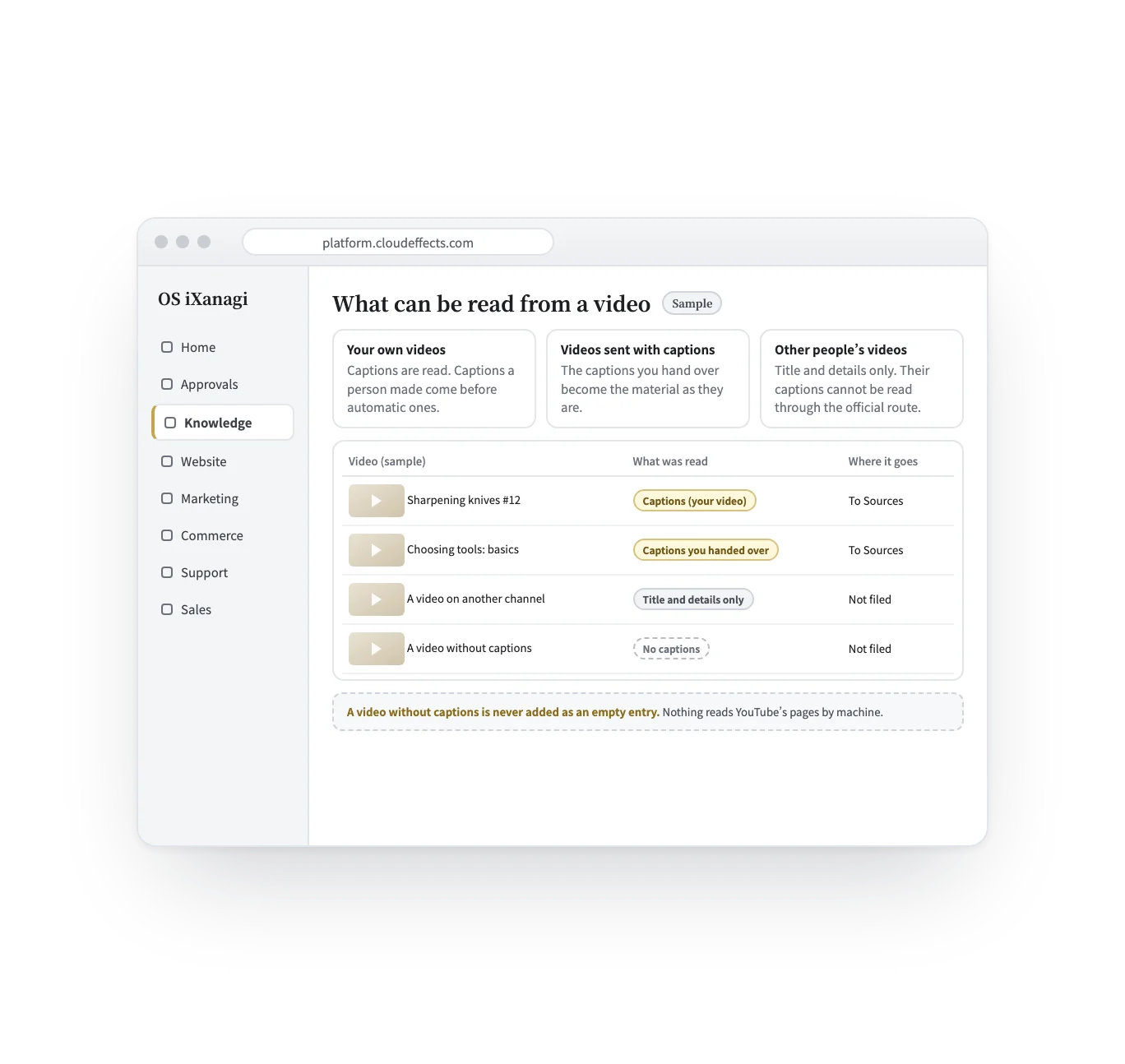
Your own videos: their captions, a person’s before automatic ones. A video sent with captions: those captions. Other people’s videos: the title and details only — not filed.
From your own computer
Some videos you want to keep as knowledge are not on your channel — a talk you learned from, a lesson you go back to. OS iXanagi does not transcribe them. If you make a transcript on your own computer, uploading that text to Knowledge is an ordinary, supported way in, and from there it follows the same path: extracted, then adopted by a person. How you may use someone else’s video depends on that video’s terms and rights; OS iXanagi does not rule on it.
Use whatever transcription tool you like on your own computer. Nothing is sent to OS iXanagi at this step.
In Knowledge → Sources, choose a bucket and use “Upload a file” (.txt, .md or .docx, up to 10 MB). Write the video’s URL at the top of the text so the source travels with it.
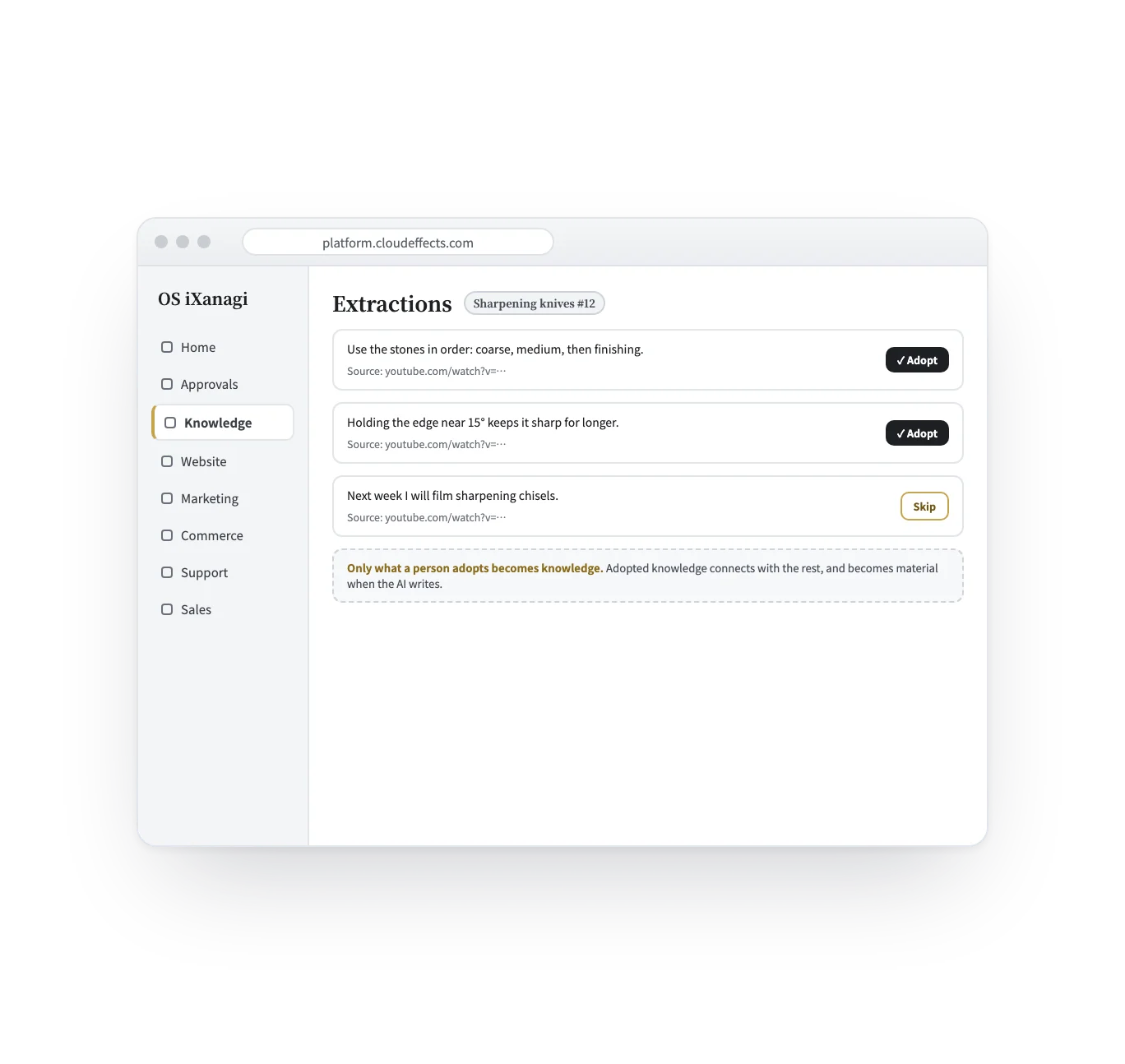
Extraction runs when the material arrives, or from “Extract meaning” on the item. What comes out are candidates; only what a person adopts becomes knowledge.
When you need it
Name a playlist and up to 50 videos come in at a time.
Something you explained years ago is there when the AI writes, with the video it came from.
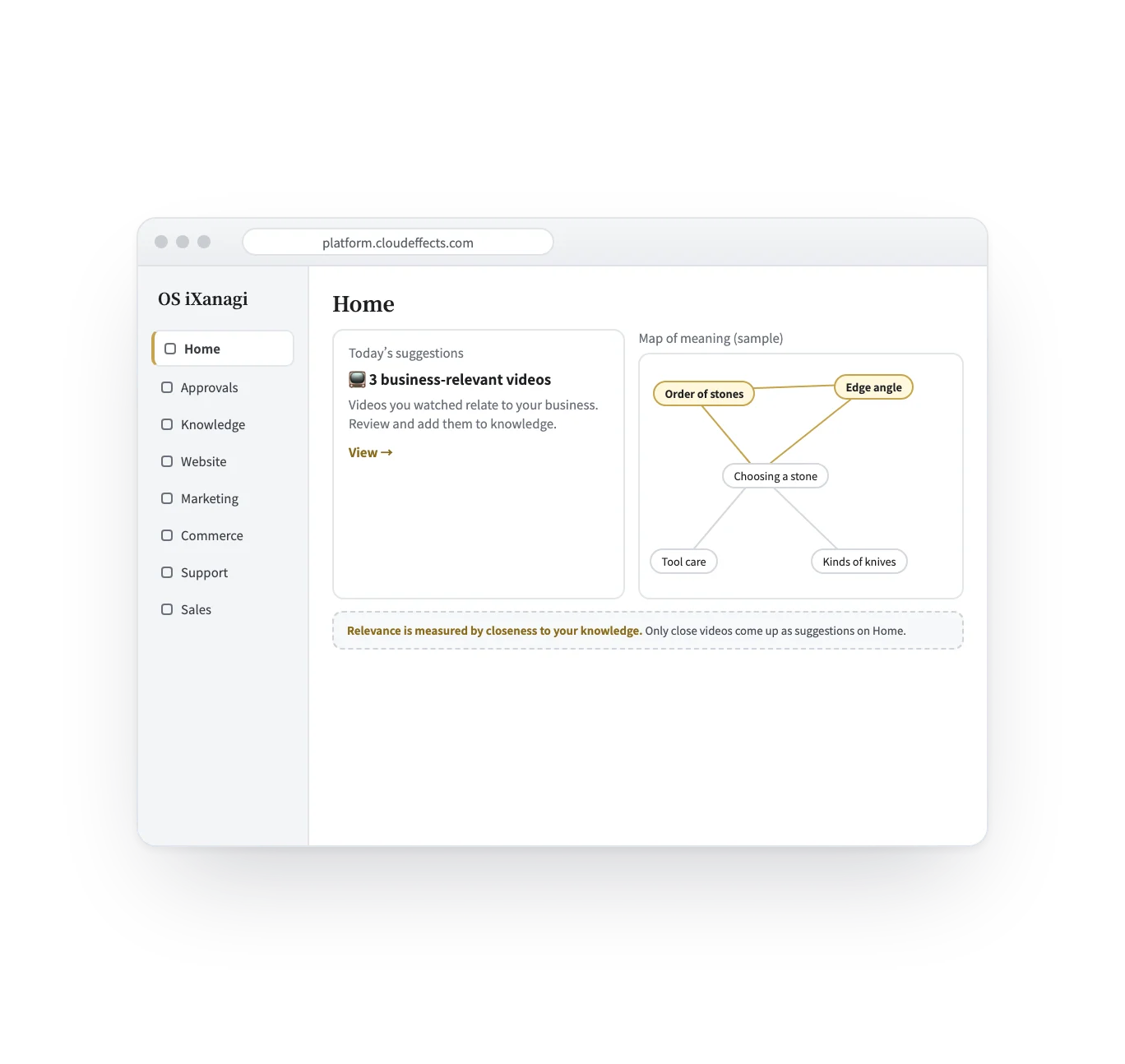
Videos are measured against the knowledge you have; only close ones come up on Home.
Register your channel and new videos can be picked up, up to 25 per check.
Who it is for
Anyone who explains things on video, and has more videos than they can remember.
Hundreds of videos, and the same questions in the comments.
Courses and seminars whose content should also reach your site.
How-to videos that already say what the product page should.
What it does
Reading a lot is the easy part. What matters is never putting into your knowledge something you did not say, or did not choose.
What changes
Combined with
Use case
What a channel that wants to grow puts on the OS — Knowledge, Marketing and Website, plus this connector and search records — and how a day goes.
What it needs
Every App comes with the plan. Unless an App is activated, its capabilities cannot be used — from the screen or the API.
Being tested (as of October 2026) — turn on YouTube on the Connectors screen, and Knowledge › Sources shows buttons to add a video, a playlist or a channel. (Uploading your own transcript to Sources does not need the connector.) A channel is registered by its channel ID (the one starting with “UC”), not by its @handle. A playlist comes in up to 50 videos at a time, and each channel check picks up to 25 new videos; the scheduled check is off at first. Captions of your own videos are read only when the Google connection includes caption permission (tick “Also read YouTube captions” when you connect).
FAQ
It uses only YouTube’s official API and never reads YouTube’s pages by machine. Captions are read only from your own videos, with the permission you give in the Google connection.
Through the connector, only the title and details can be read, and those are not filed as material. If you transcribe a video on your own computer, you can upload that text to Sources yourself. Whether you may use a given video that way depends on its terms and rights; OS iXanagi does not rule on it.
They are not imported. A video without captions is never added as an empty entry. There is no speech-to-text step for YouTube videos.
No. Captions arrive as material. The AI picks out candidates, and only what a person adopts becomes knowledge.
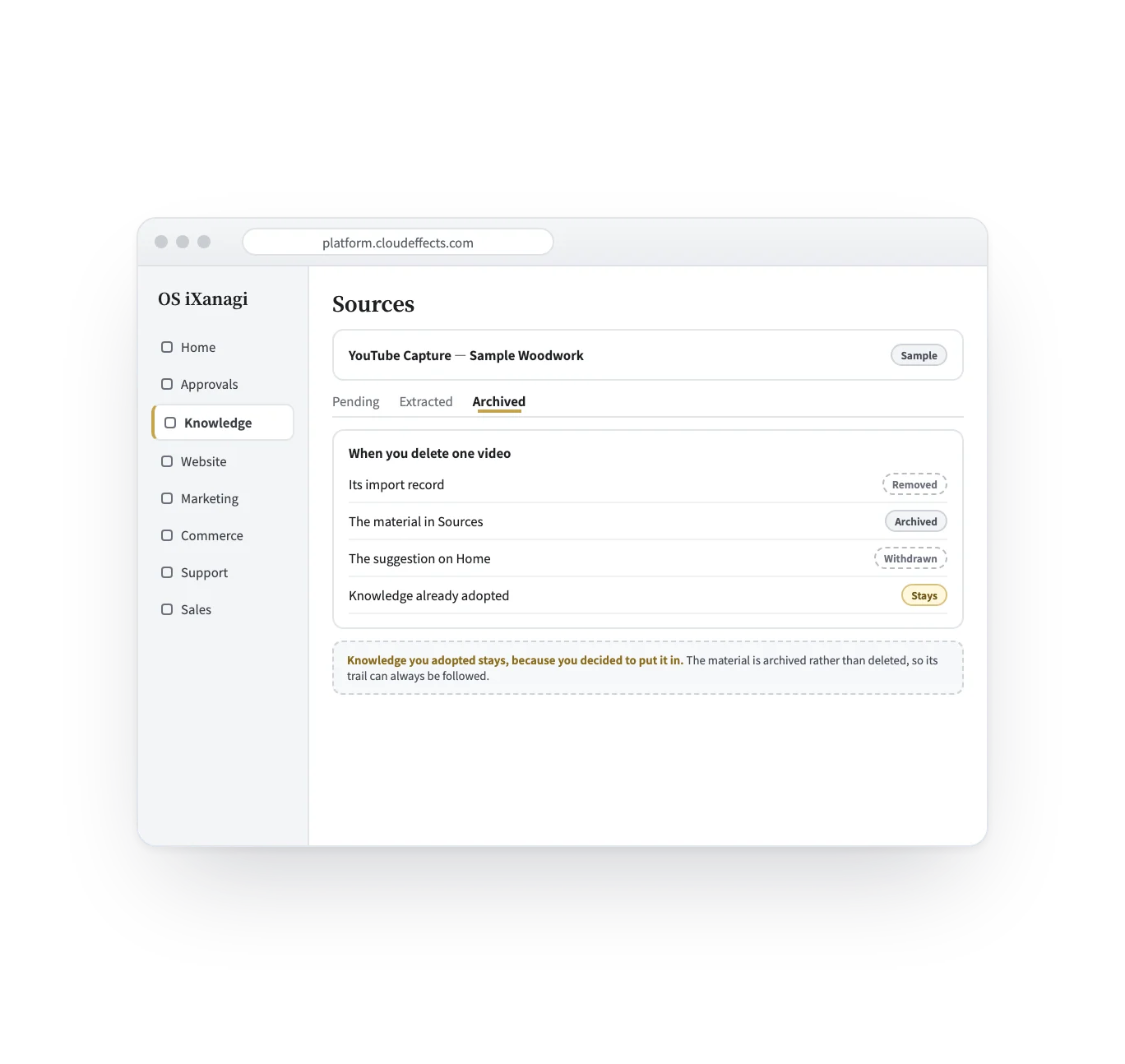
Its import record is removed, its suggestion is withdrawn, and its material moves to the archive. Knowledge you already adopted from it stays, because you chose to put it in.
Yes. A Shorts link is read the same way as any other video — if it has captions.
Not as training. No caption is used to train an AI model. Captions arrive as material, a person adopts what becomes knowledge, and the AI reads that knowledge each time it writes — nothing is baked into a model.
Related
Curious? Ask the AI directly — it answers in terms of your business.


