


When a card is declined
Until now
You notice weeks later, or never — the billing tool keeps retrying in silence.
From now on
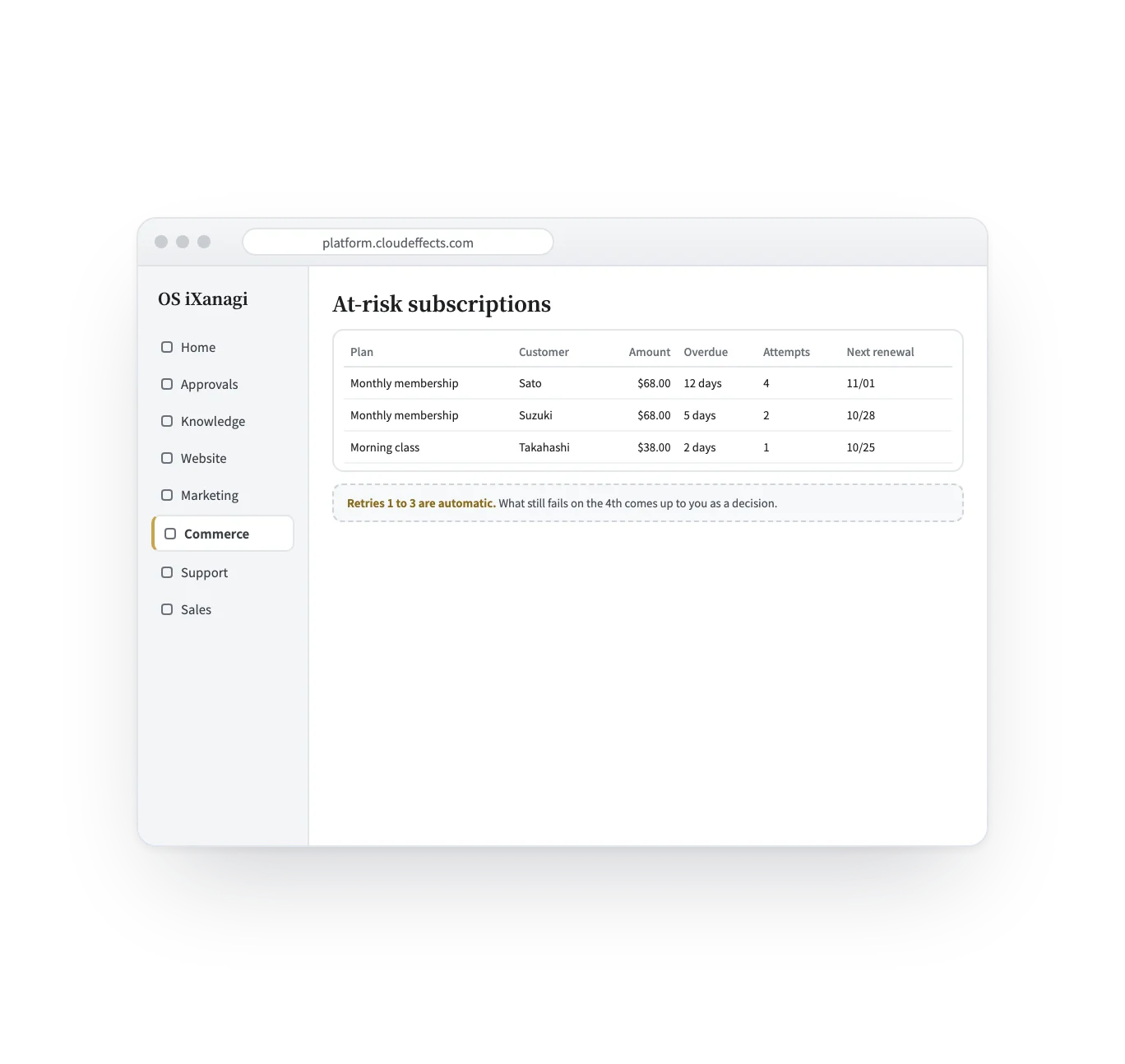
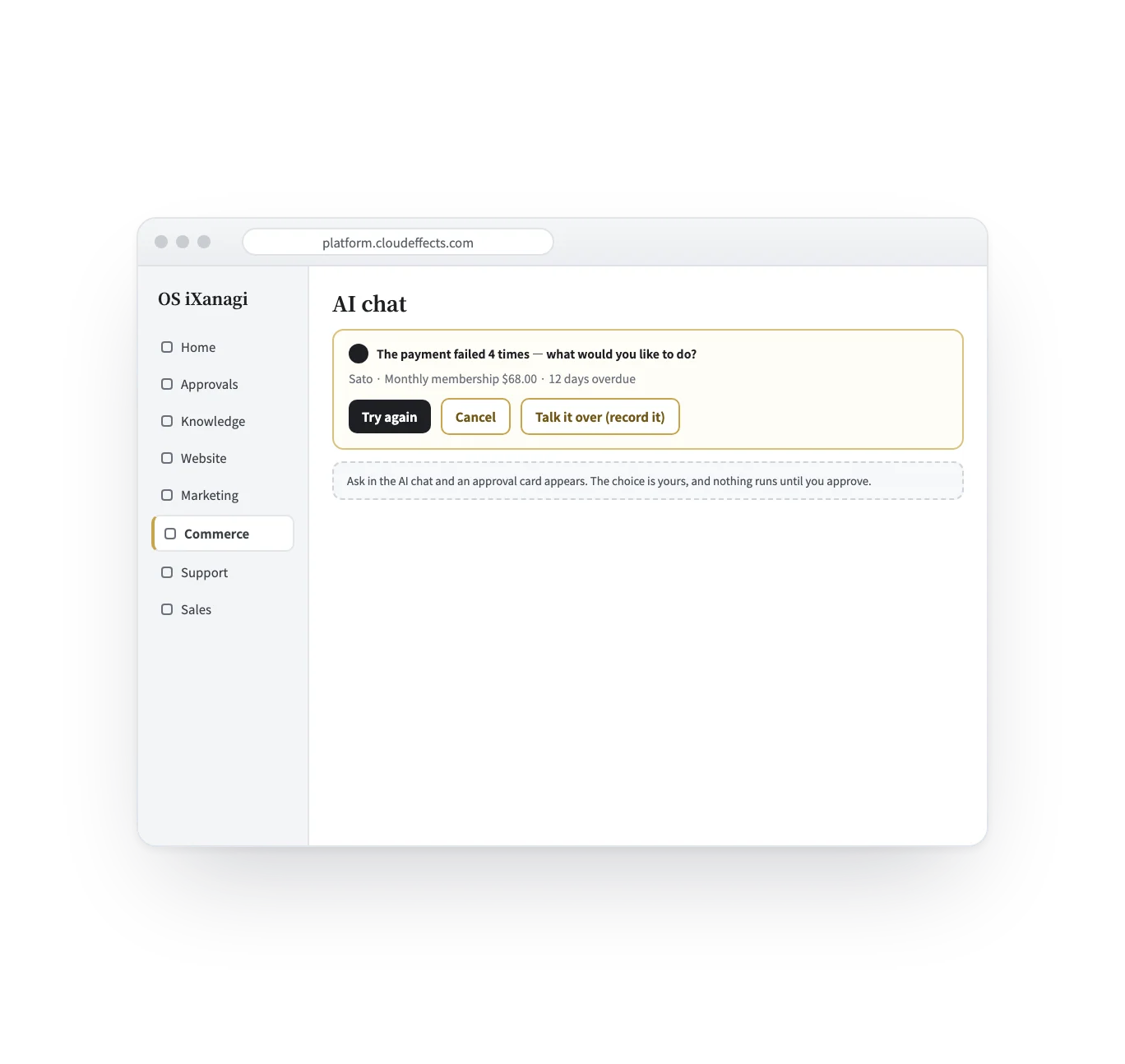
It appears in the at-risk list, and after the automatic retries the next step comes to you.
Commerce feature — Subscriptions
With deliveries, memberships and monthly plans, the difference shows when a payment fails. The failures line up with their status, the first retries run on their own, and when they run out the next step comes to you as a decision.
Works · Built into Commerce
How it works
Four scenes, from the customer’s page to a plan change. The screens are samples; the studio, people and prices are examples.
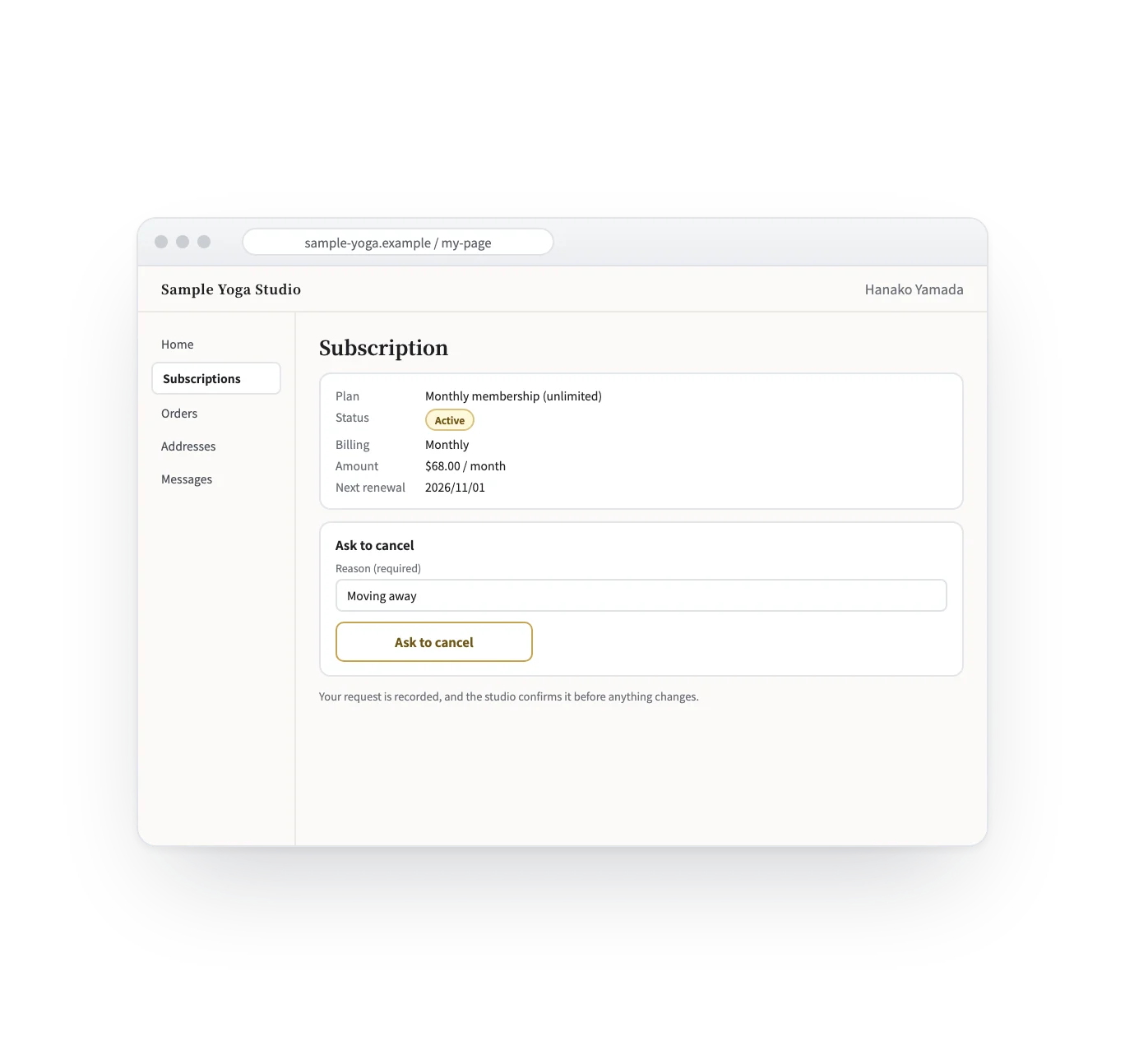
Signing in with a link sent by email, the customer sees their plan, status, billing cycle, amount and next renewal date. A cancellation request needs a reason, and is recorded for a person to confirm.
Who it suits
Monthly memberships and fixed classes, billed each cycle.
While a subscription is active, members-only pages open for that customer.
A customer page for contract-style care, with the status in view.
Choose the billing cycle that fits the plan.
What it does
With the rest of OS iXanagi
Subscriptions use the same products, customers and site as the rest of Commerce — not a separate billing tool.
What changes
What it needs
Every App comes with the plan. Unless an App is activated, its capabilities cannot be used — from the screen or the API.
Recurring billing runs on Stripe only. Retries 1 to 3 follow your Stripe account’s retry settings. Pausing is shown when it is set on Stripe; it is not started from OS iXanagi. A customer’s cancellation request is recorded and confirmed by a person. Customers cannot change their card from their page.
FAQ
Stripe. Subscriptions run on your own Stripe account, with weekly to yearly billing.
No. When the automatic retries run out, it comes to you as a decision. Cancelling is something a person chooses.
The request and its reason are recorded. A person confirms it before anything changes.
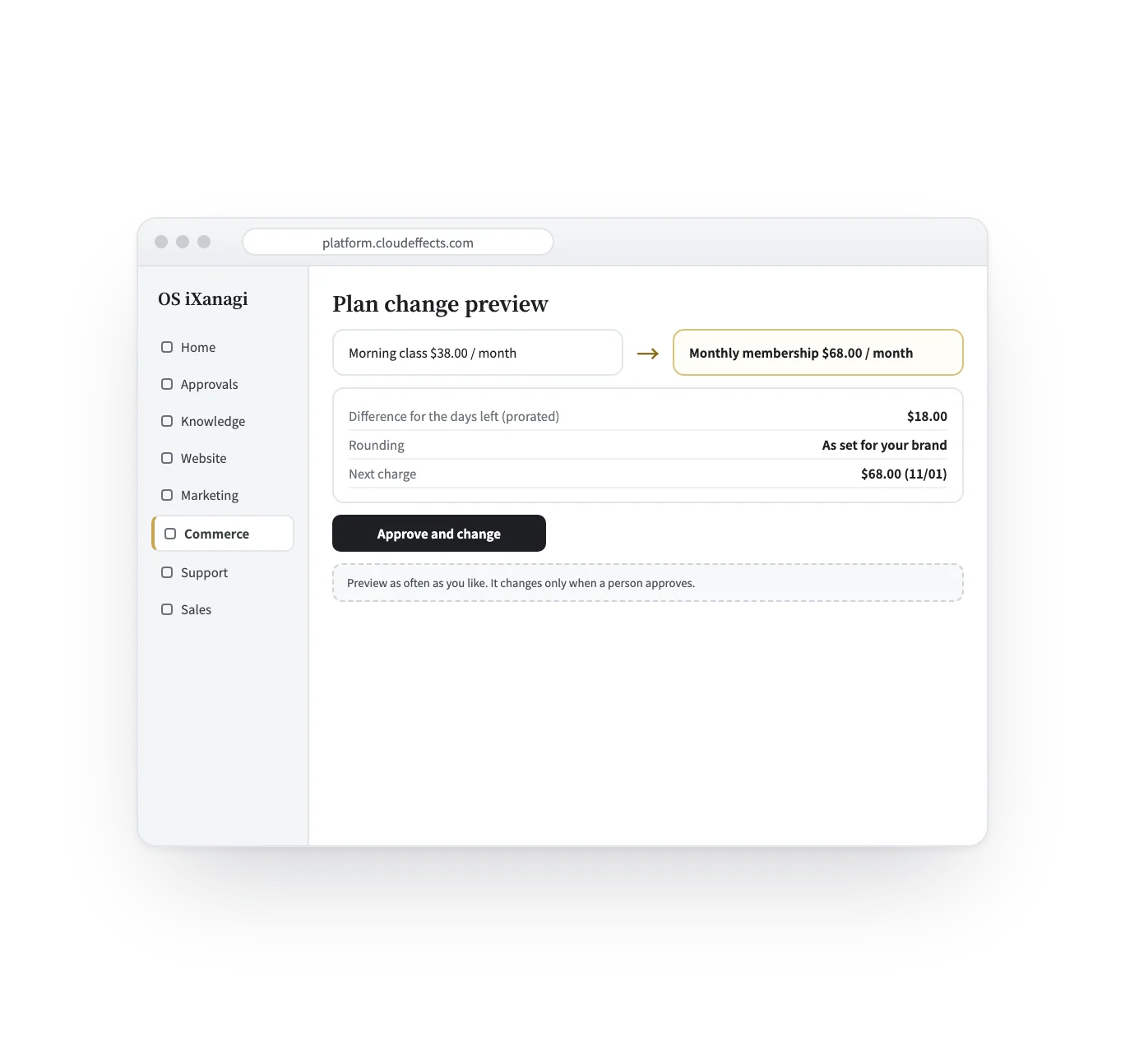
Yes. Preview the prorated difference first; the change happens when a person approves it.
Works well with
Curious? Ask the AI directly — it answers in terms of your business.
